Measure now. Or later.
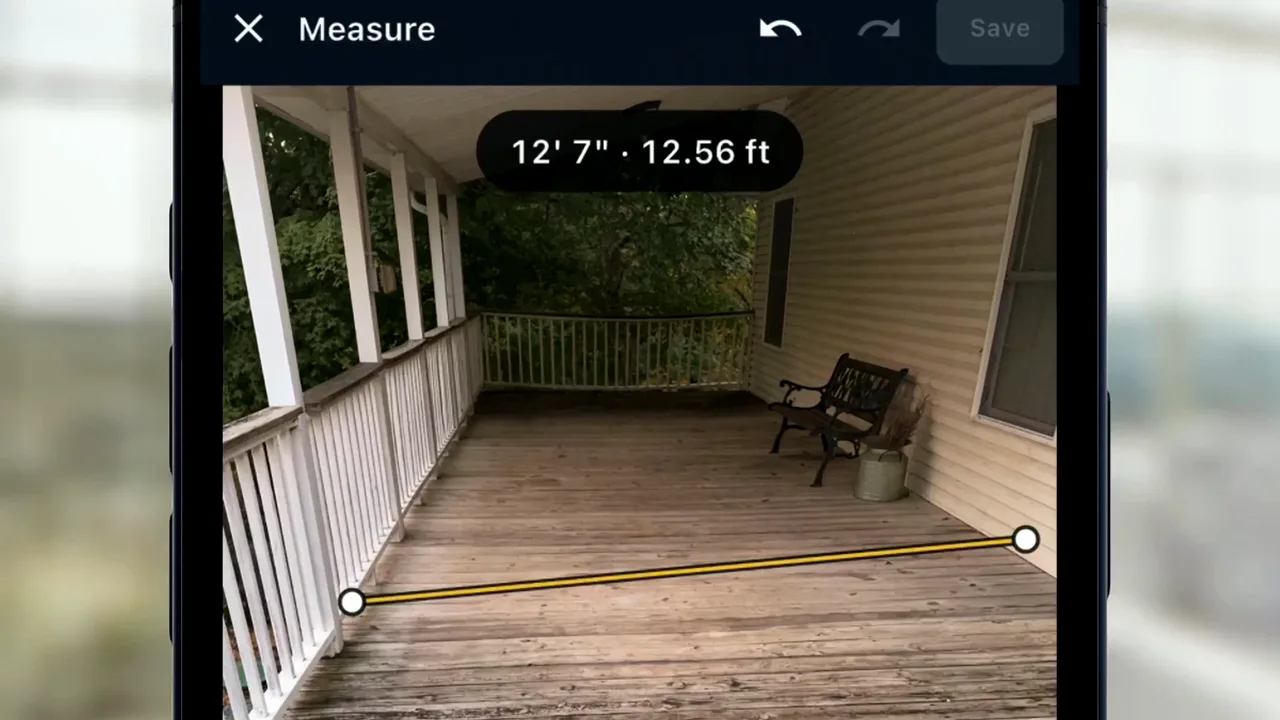
Measure a job photo on site or the next day, pick the quote line, and the number becomes its quantity. Measure mode is coming to iPhone Pro and iPad Pro; the office can measure a photo later from the crew's shot, and when the quote goes out, your customer sees the photo the number came from.
-
Chapter 1 of 1 · Office
Measure now. Or later.
Shoot in Measure mode, measure the photo now or the next day at the office, pick the quote line, and its quantity and total update on the quote your customer sees.
0:51 · English audio · captions on screen
Read the chapter 1 transcript
Captions are burned into the video and are always on.
Measure mode.
Shoot. Measure it now.
Right on the photo.
Twelve-seven.
Or leave it for later.
Next day, at the office.
They want the corner done too.
Nobody measured it.
Measure it from the crew's photo.
Post to post.
Name it for the customer.
The quantity fills in. The total updates.
Your customer sees the photo it came from.
Measure now. Or later. Either way, it's on the quote.
Captions are burned into every chapter and are always on. Every chapter has a written transcript.