MeasureEvery plan
Measure from the photo, straight into the quote.
Shoot once on an iPhone Pro or iPad Pro. Measure on site or later in the web app, with level and plumb guides and snapping to place each point.
AI quote import and a voice assistant on every plan; customer selections and a warranty desk at $99/mo Pro — one platform in place of a stack of separate tools. Field photos save offline.
On iPhone Pro and iPad Pro with LiDAR: Measure from the photo, straight into the quote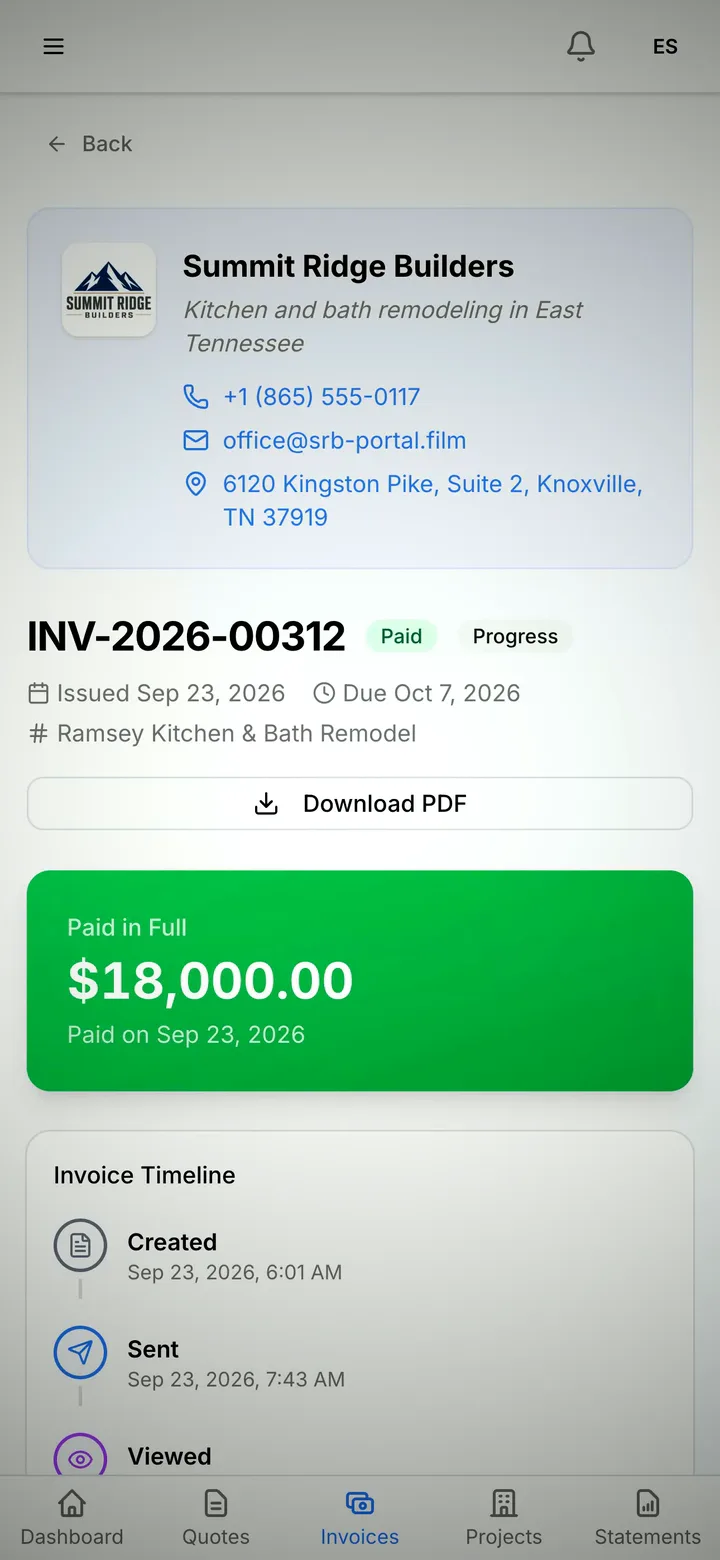
Why JobSiteCore
A measured photo sets the quantity on the quote. The quote becomes the job, and the crew confirms it from their phone.
MeasureEvery plan
Shoot once on an iPhone Pro or iPad Pro. Measure on site or later in the web app, with level and plumb guides and snapping to place each point.
Job cameraEvery plan
On iOS 18 or later, Camera Control, the Action button or Control Center opens the camera, and the shots wait until you confirm the job. In the app, photos are 4K-class (12 MP on iPhone, 3840×2160 on Android).
Weekly schedulerPro and up
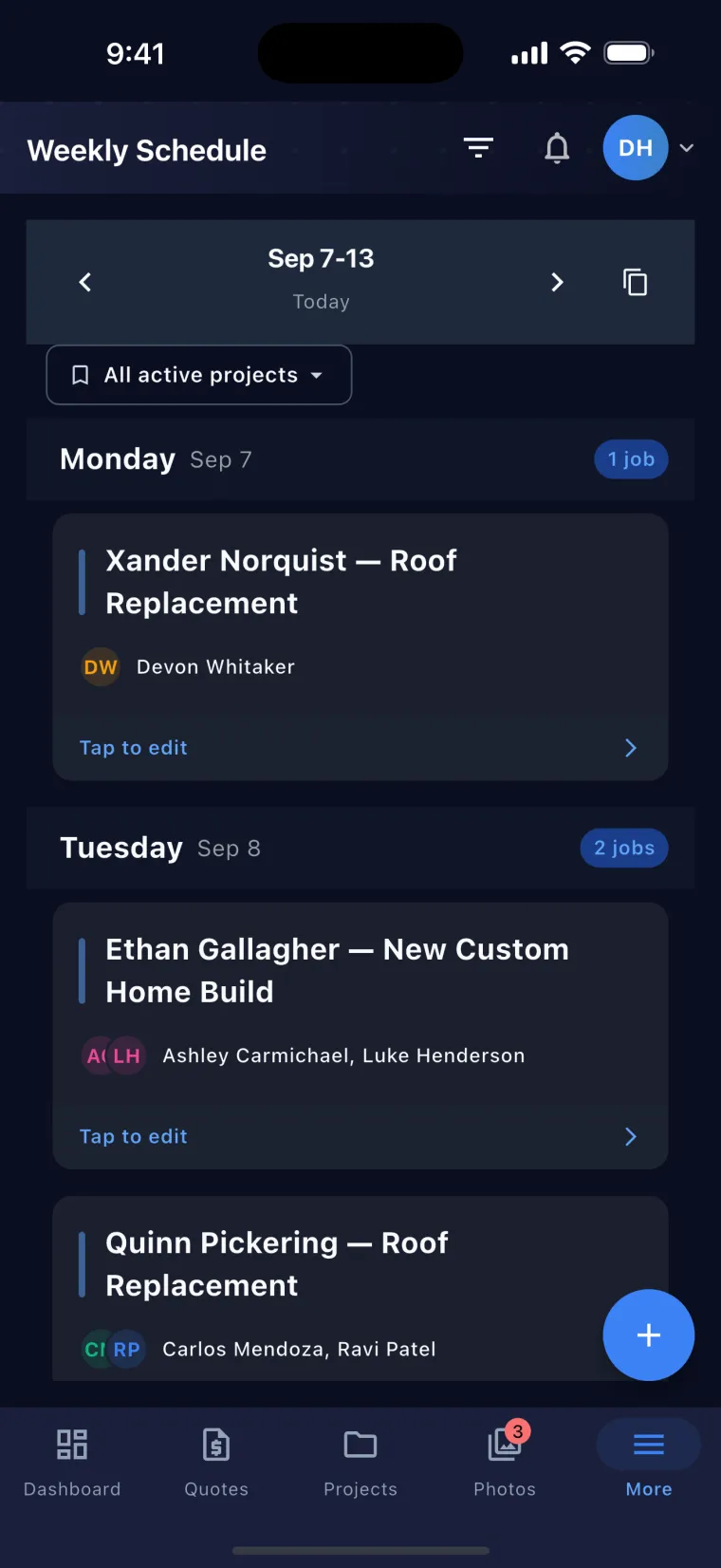
On the web, drag a crew to another job or day, fill it across the week, or copy last week. Double-bookings, days over 8 hours and approved time off show up before anything saves.
Crew assignmentsEvery plan
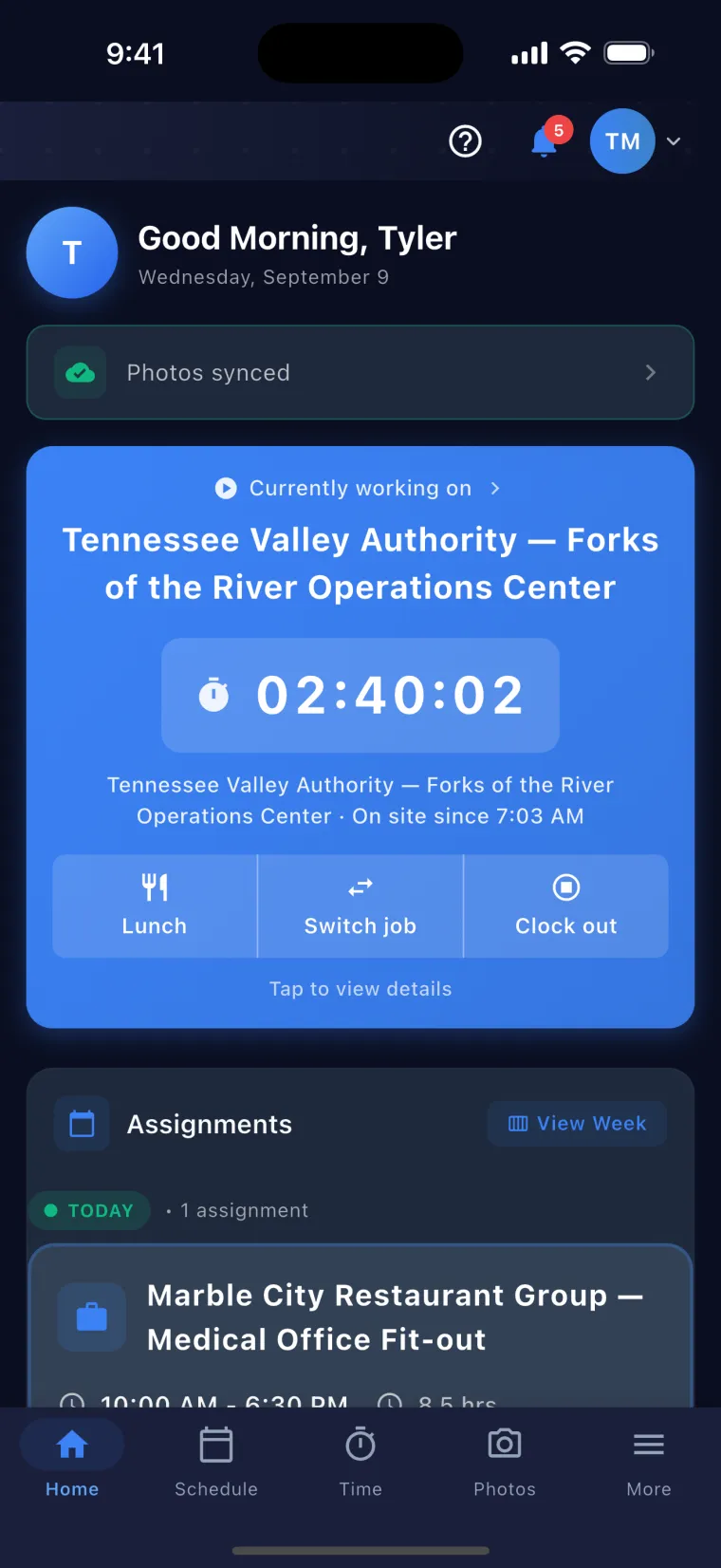
Put a crew on a job with hours, tasks and notes for each person. Each worker gets a push in English or Spanish and taps Got it, and you see who’s still Pending.
AI line itemsEvery plan
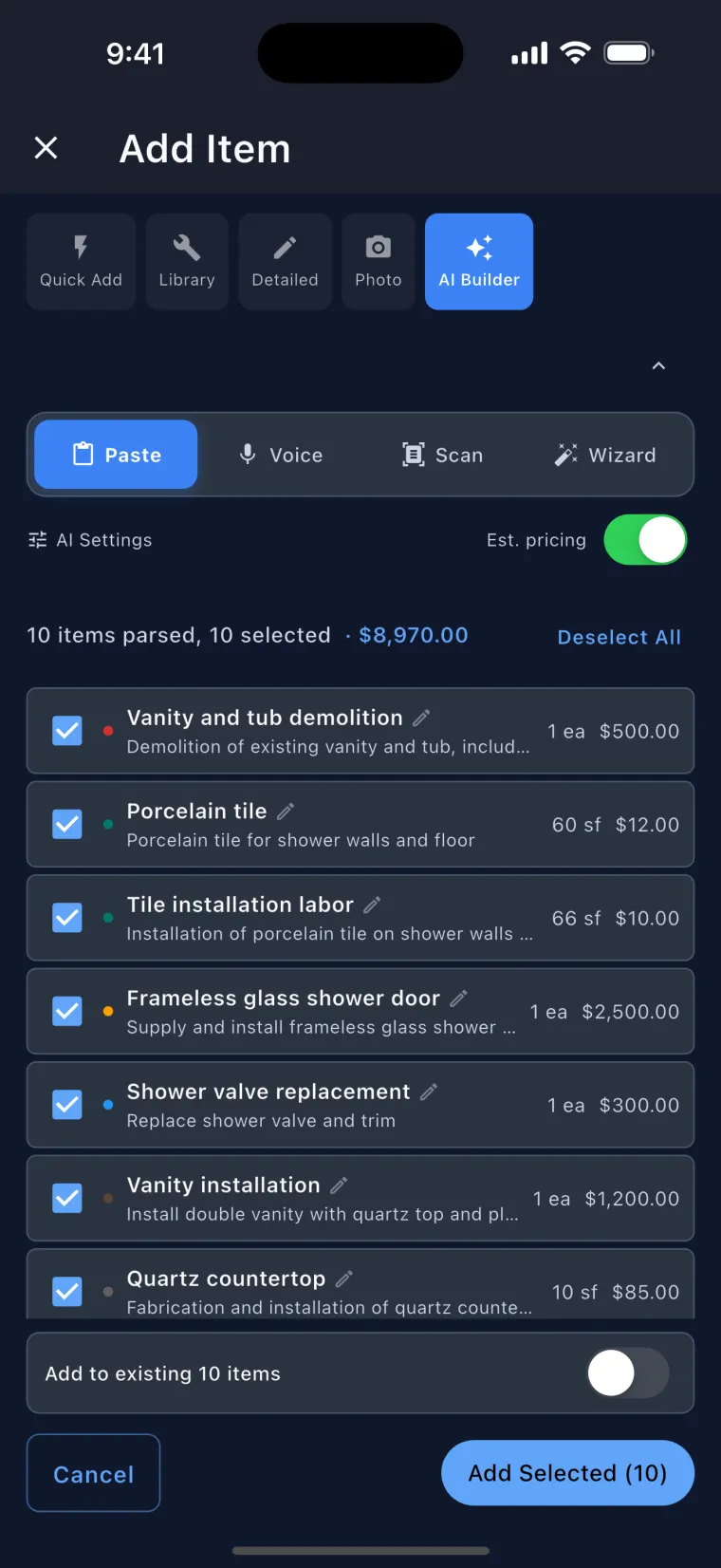
Type it, say it, or snap a handwritten estimate or a supplier’s quote. You review and edit every line before it goes on the quote, within your plan’s monthly AI allowance.
Photos from subsBusiness and up
They sign in with a code sent to their phone, with no app and no password, and their photos arrive by category, even when they shot them with no signal.
Native appsEvery plan
One account on all of them. Lock-screen capture is on iPhone, and Measure capture is on iPhone Pro and iPad Pro.
Offline captureEvery plan
On the phone, photos, measurements and new leads save without signal and upload when you’re back in range.
Measure · iPhone Pro and iPad Pro with LiDAR
Take the photo once. Measure it then or months later. Before they sign, the number becomes the priced quantity on the quote.

On site: the porch width that prices the end rail, measured in the camera. 12 feet 7 inches, graded Good.
Next day, before they sign: they want the corner done too, and nobody measured it. The office measures the crew’s photo, post to post: 4 feet 9 inches, plus or minus 2 inches, graded Fair.
On the line: the corner rail line takes the measurement. 4.7 linear feet at $48.00 is $225.60, and the line is marked Measured. Sample prices.
Their quote: the line items total goes from $1,827.80 to $2,005.40, and the customer’s quote PDF shows the measured photo under the name of the line it priced. Sample prices.
Shoot open walls in Measure. Months later, measure how far the drain sits from the corner.
Your crew shoots. The office measures in the web app, picks the line, and the total recalculates.
How sure is it? Every reading is graded Good, Fair or Rough. When it’s less sure, it shows a ± range, like the 4′ 9″ ± 2″ from the next-day photo. For estimating, planning and documenting. Keep the tape for the cut.
On iPhone Pro and iPad Pro with LiDAR. Measuring photos are taken in the app on an iPhone Pro or iPad Pro with LiDAR (see which models). Measure later in the web app, or on an iPhone or iPad. Included on every plan.
Recorded in the shipping app at normal speed. Nothing here is a mockup.
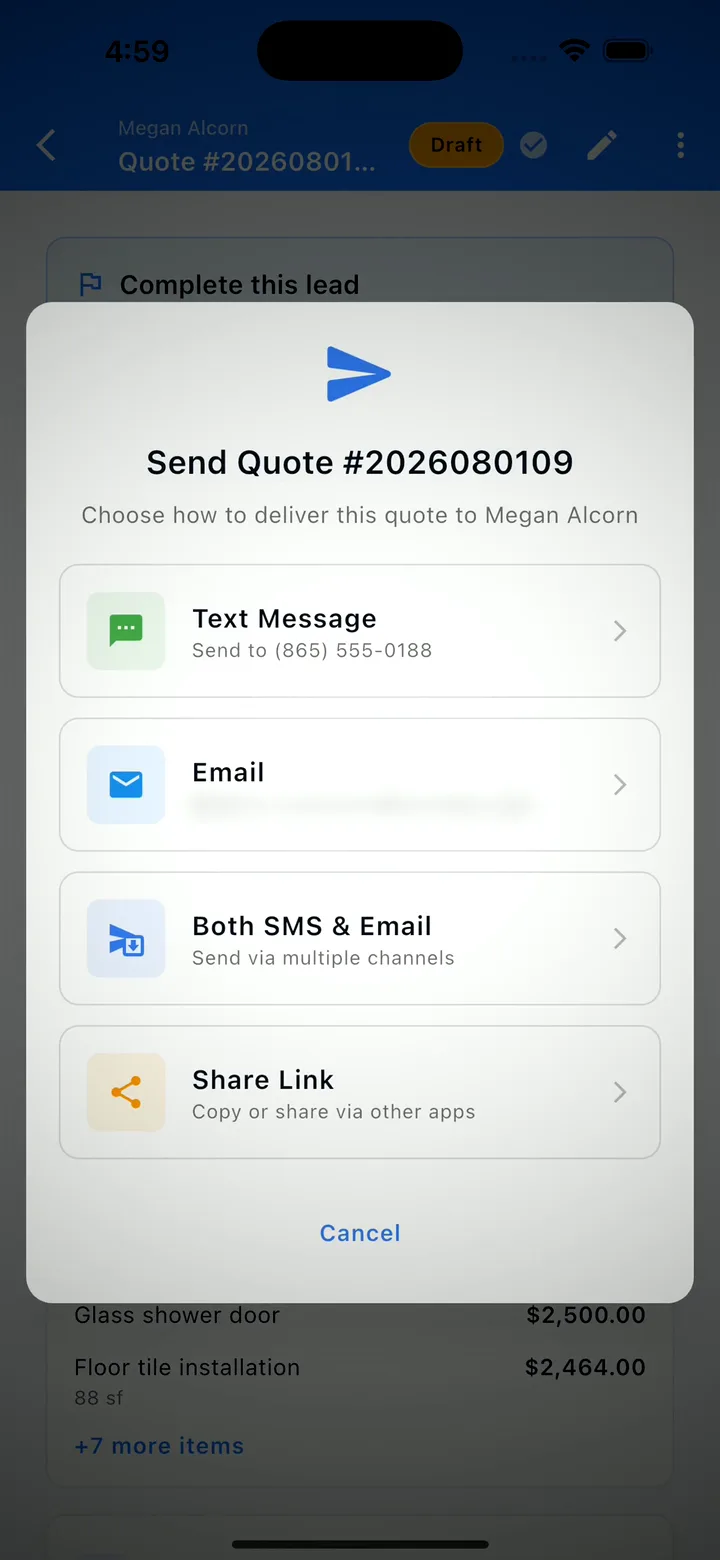
Capture the lead on site, fill it in from the truck, then build the quote off that same record. Send a link — your customer reads it and signs with no app, no account and no password. It comes back accepted, with a signed, timestamped PDF archived on the record.
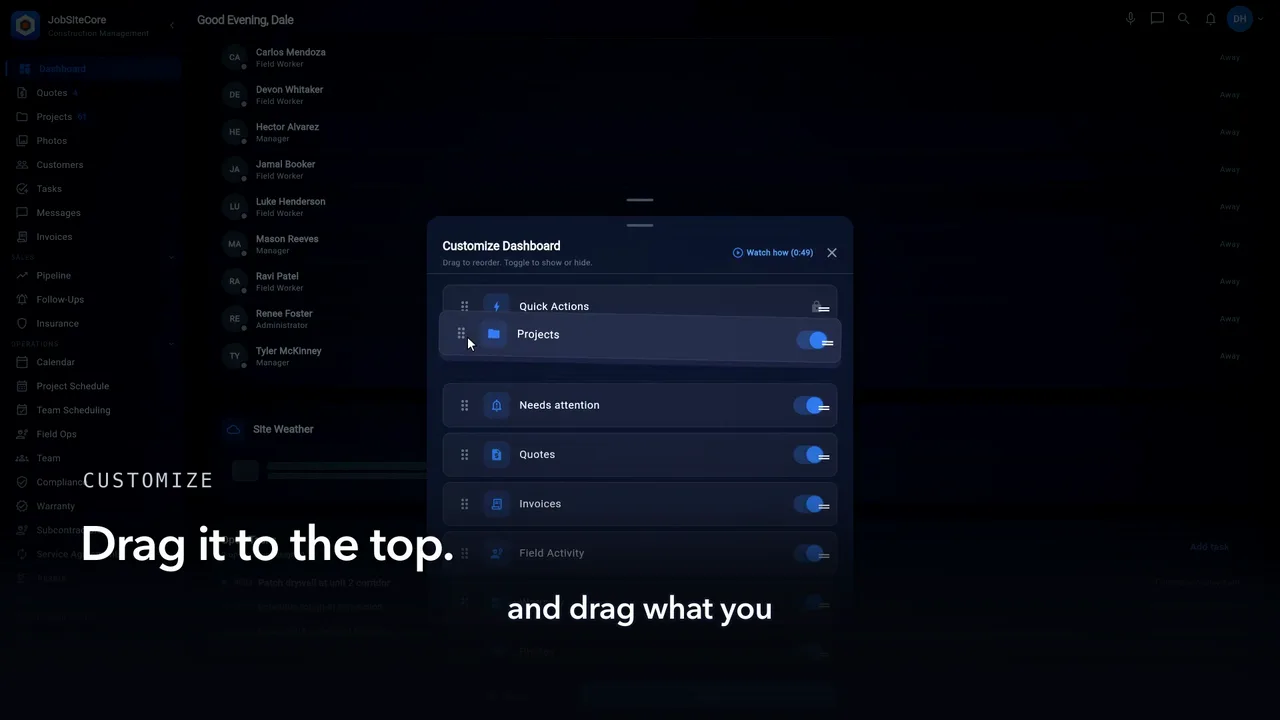
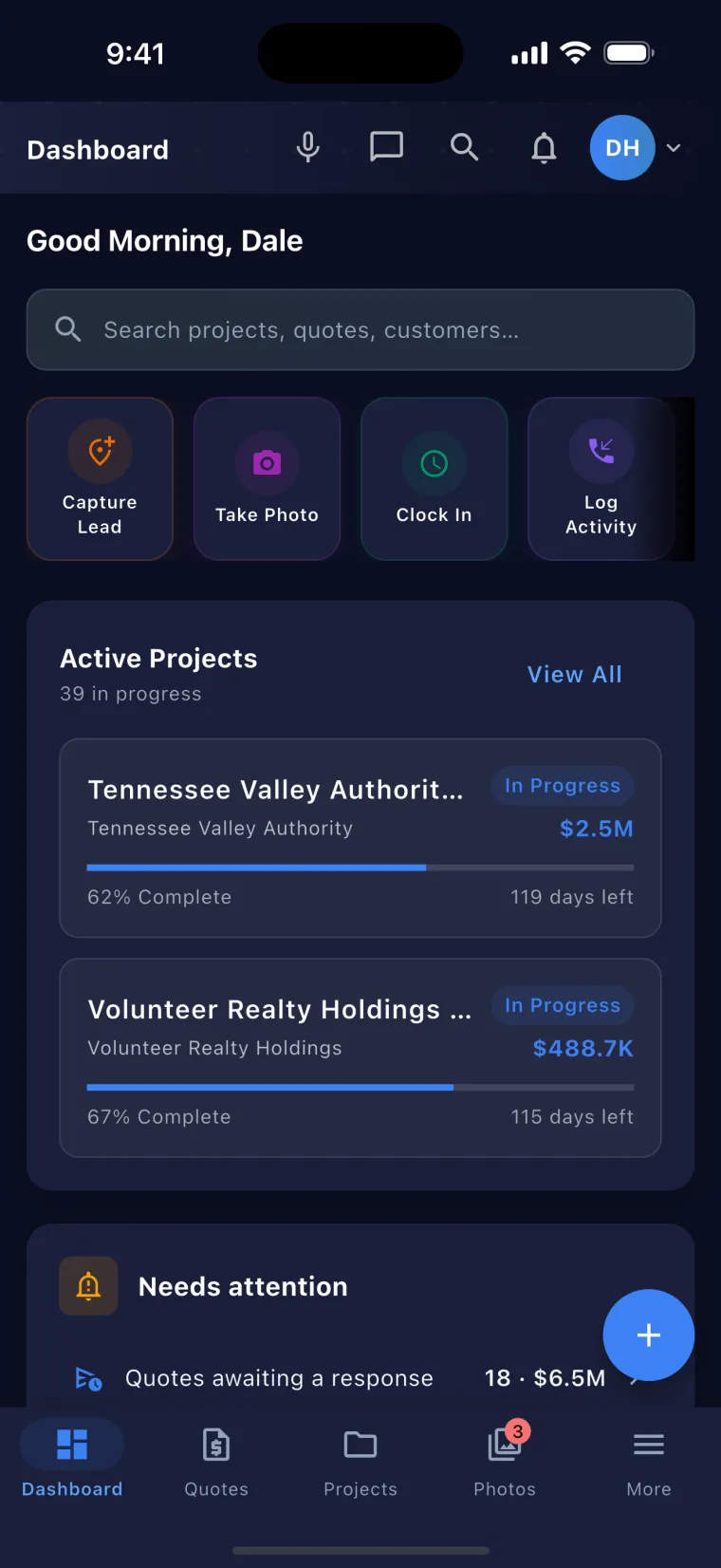
Every section of the dashboard can be shown, hidden, or dragged into your order, and the quick-action shortcuts work the same way. Set it once and the app opens on what you check every morning. Your layout is yours alone — it never changes anyone else’s.
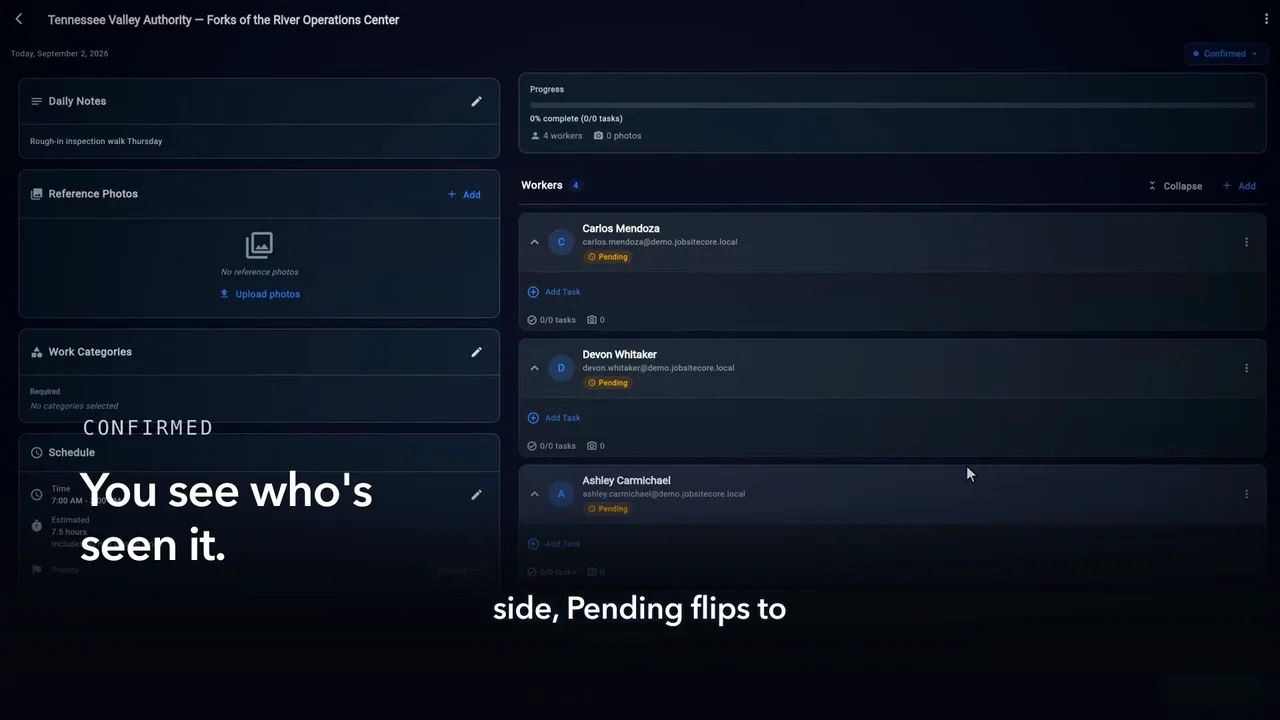
Open the job, add a crew member, and the assignment lands on their phone with the day, the hours, and the address. They tap Got it — and back on your side, Pending flips to confirmed. No group texts, no morning phone tree.
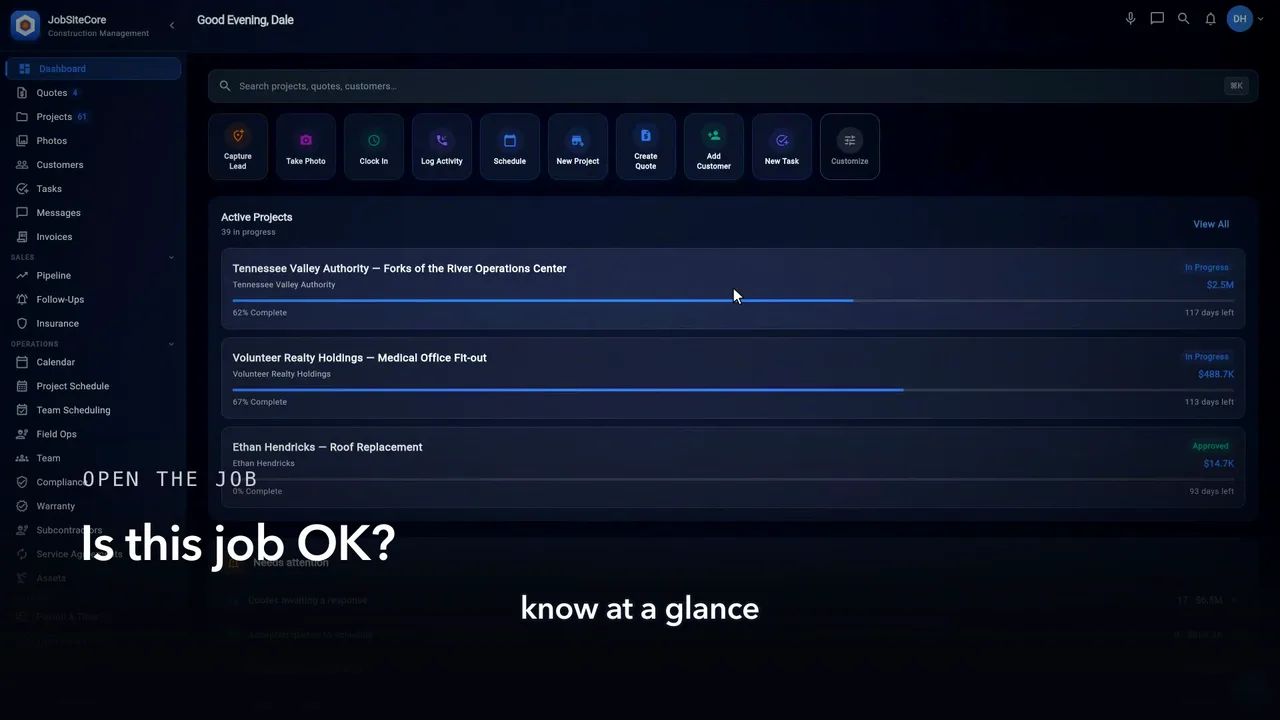
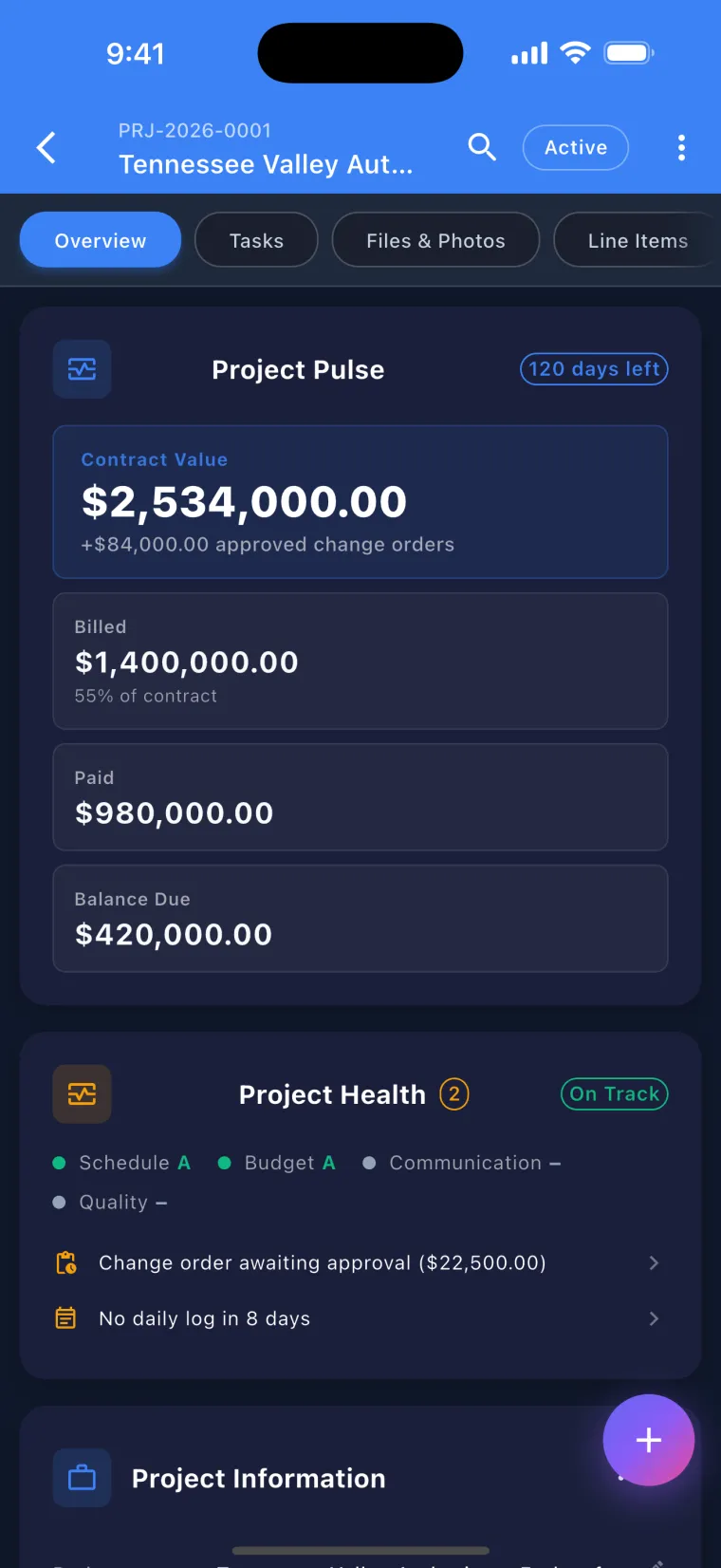
One screen per job: the contract, what’s billed, what’s paid and what’s still owed at the top — then what needs you: a change order waiting, a contract not signed. Phases track as the crew works them, and every photo and daily log lands on the record.
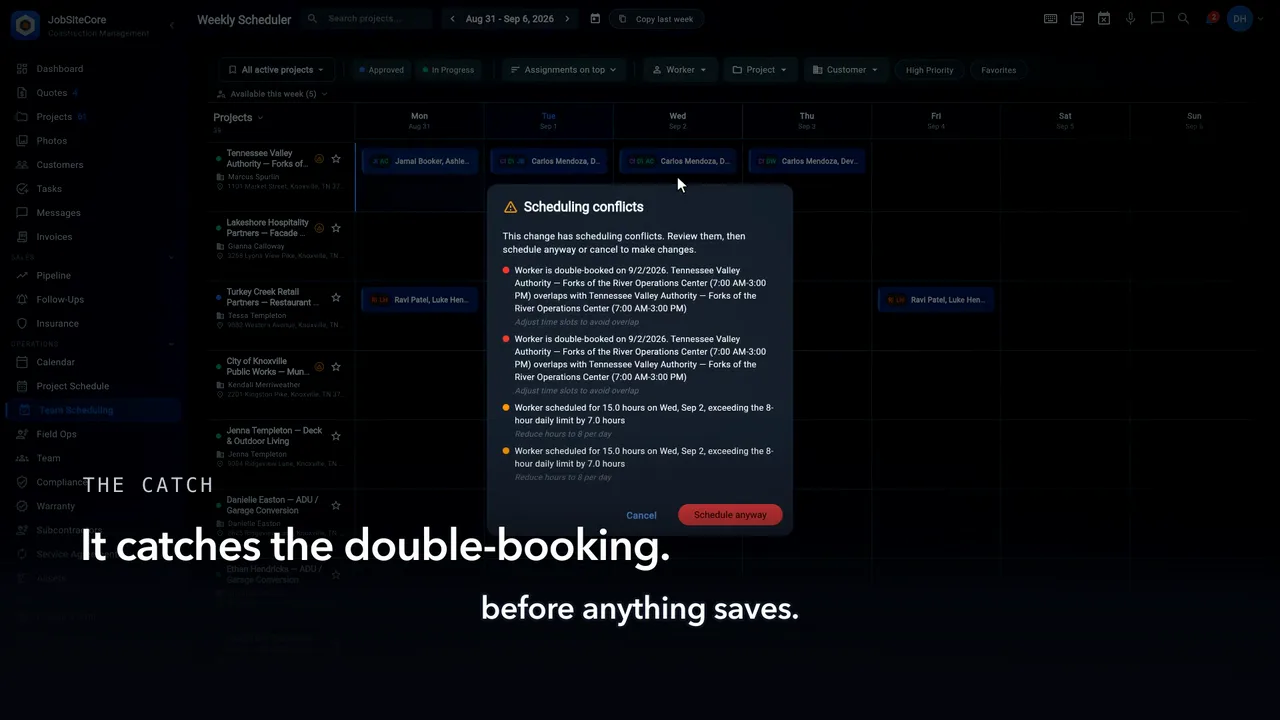
The desktop weekly scheduler: every job in a row, every crew on its day. Drag a card to move a crew between jobs; if the move double-books somebody, the schedule says so before anything saves — your call to go ahead or back out. And the fill handle runs one crew across the empty days in a single drag.
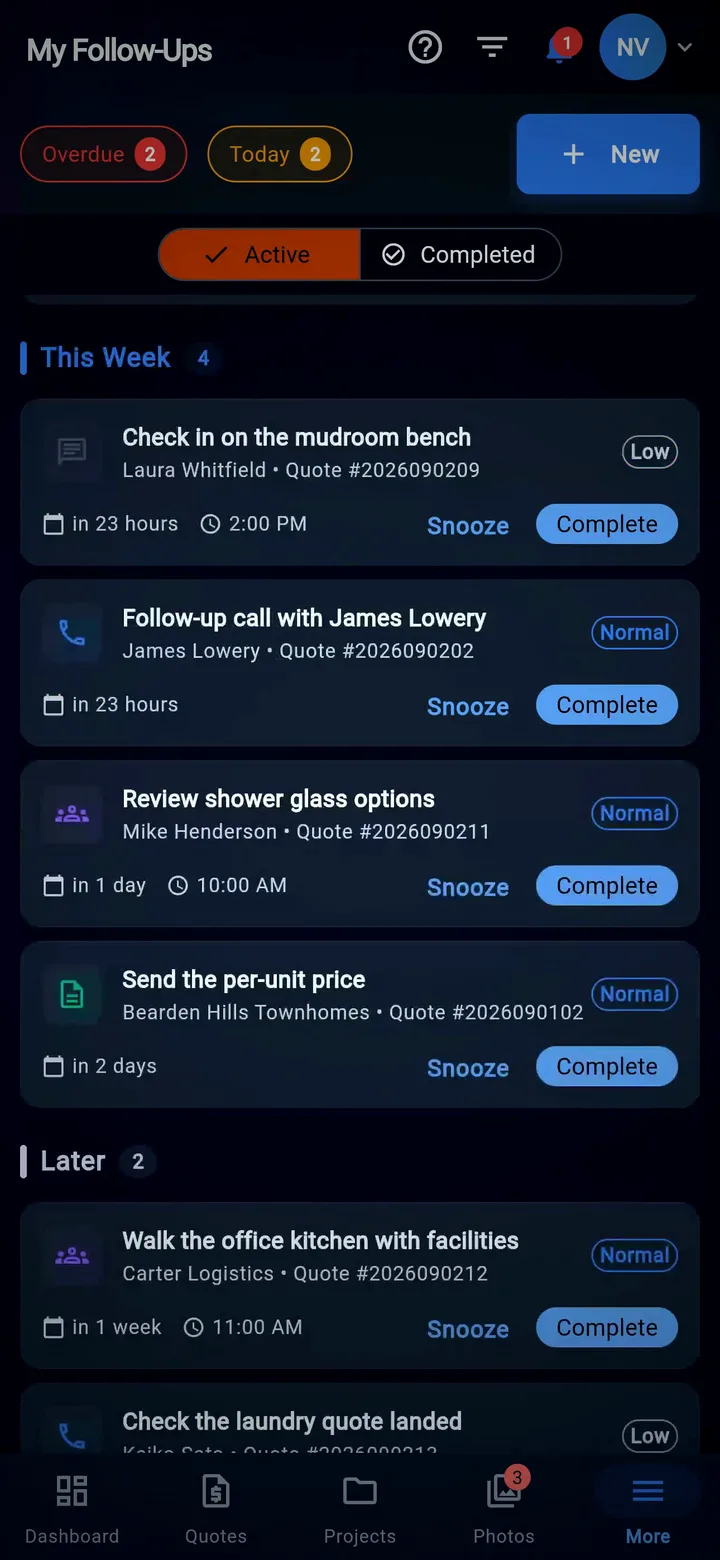
Every open quote in one place. On the phone it’s a list — the value at the top, leads and quotes counted apart; on iPad and desktop it’s a board you drag a quote across as things change, and on desktop a map of your leads. Then the follow-ups list keeps score: overdue, today, this week — snooze one, or complete it and move on.
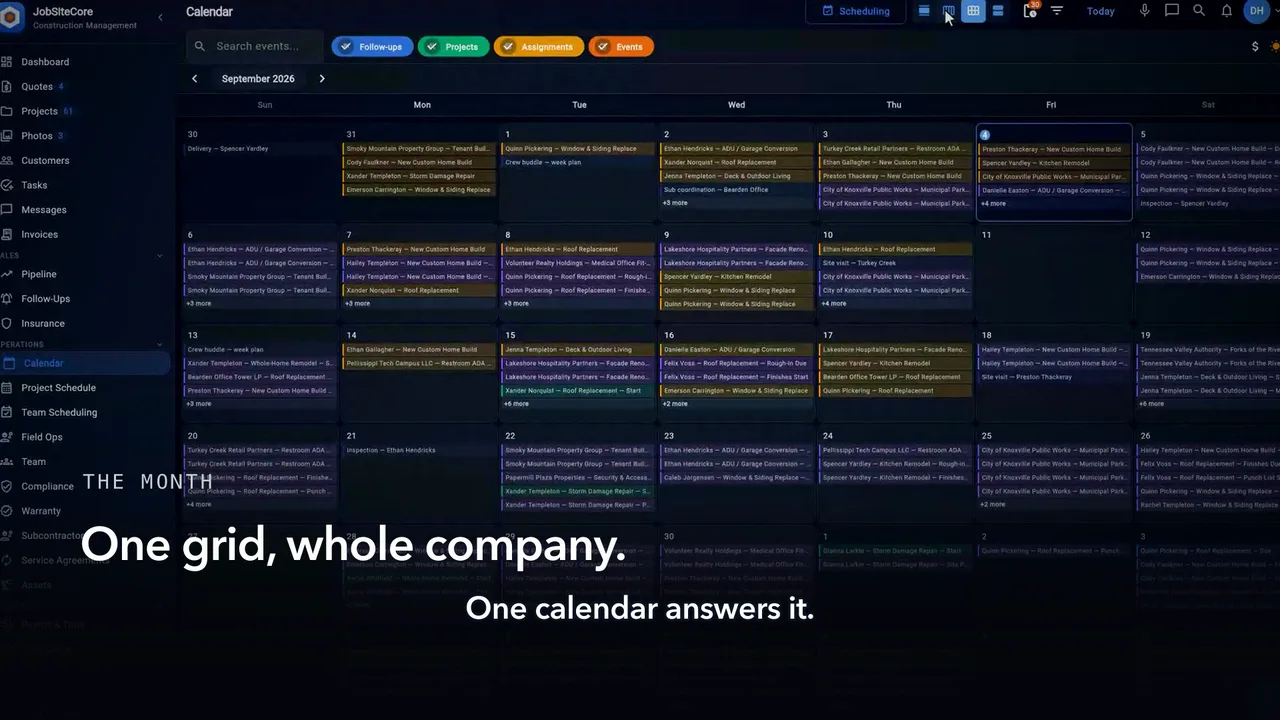
Jobs, crew assignments, site visits and follow-ups on one grid. A stacked day opens into its full list, any day zooms to the hour, and when plans change you press and drag a site visit, inspection or meeting to its new day. On iPad and desktop it’s the same calendar, wider.
Captions are burned into the video and are always on.
Standing in the driveway. The job's real. The paperwork isn't, yet.
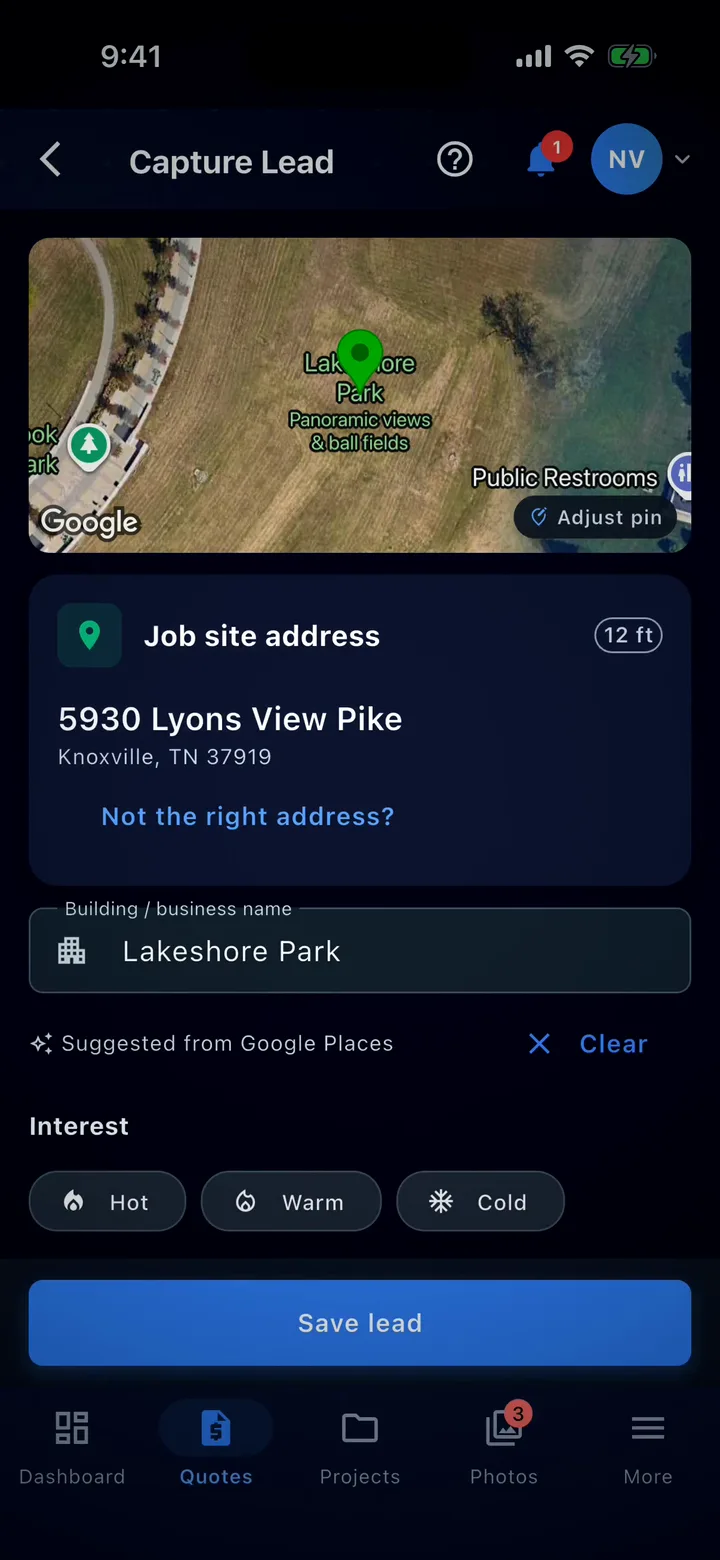
Add a photo, talk the note in, save it. That's the lead.
Back at the truck you open it again and fill in what you know. Same record, start to finish.
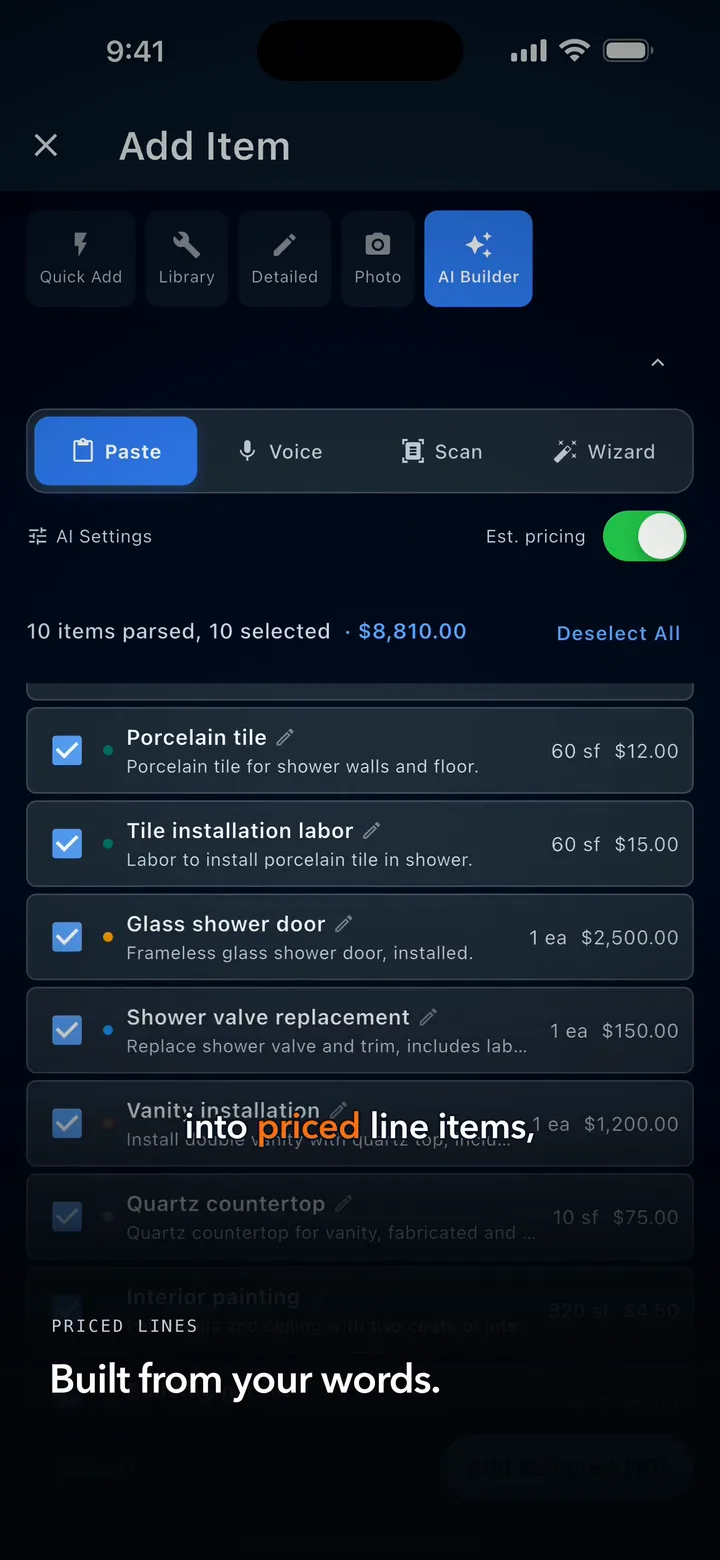
Then build the quote off that same record. Say what the work is, and it comes back as priced line items you can edit.
Send it. Your customer opens a link. No app, no account, no password. Reads it, and signs.
It lands back in your app as accepted, with a signed PDF archived on the record. Address to signature, no desk.
Captions are burned into the video and are always on.
Every crew runs different. Your dashboard should, too. Scroll to the bottom of the home screen and tap Customize.
Everything the dashboard can show is in this one list. Don’t use a section? Toggle it off. It’s hidden, not deleted. Change your mind later — toggle it right back.
Grab the handle, and drag what you check every morning to the top.
Quick actions work the same way. Tap Customize on the shortcut row. Keep the actions you use. Drag them into your order.
Back on the dashboard: your layout, your order, ready to work. Set it once. It’s your home screen now.
Captions are burned into the video and are always on.
Your week, every crew, every job — this is the schedule your jobs actually run on.
Open today’s job, tap Add, and put Tyler on the crew. That’s the assignment.
On Tyler’s phone: the job, the day, the hours. He taps Got it.
And back on your side, Pending flips to confirmed. You know who’s seen the plan.
No group texts. No morning phone tree. The schedule tells the crew — and the crew tells you.
Captions are burned into the video and are always on.
Open the job — and know at a glance whether it’s OK.
The contract, what’s billed, what’s paid, what’s still owed. Right at the top.
Underneath: what needs you. A change order waiting. A contract not signed.
Phases track as the crew works them — and every photo and daily log lands on the record.
One screen per job. Everything about the work, on it. That’s the whole idea.
Captions are burned into the video and are always on.
This is your week at the office — every job in a row, every crew on its day.
Need a crew on another job? Drag the card. Done — with an undo if you change your mind.
And if a move double-books somebody, the schedule says so before anything saves. Your call — go ahead, or back out.
Same crew all week? Drag the handle across the days — one drag fills the week.
A whole week of crews, set from your desk. That’s the scheduler.
Captions are burned into the video and are always on.
Every open quote, in one place.
On your phone, the pipeline is a list. The value at the top; leads and quotes counted apart; grouped by stage, or by town.
On a computer, it’s a board. Drag a quote as things change — or put your leads on a map.
And follow-ups keep score: overdue, today, this week.
Snooze one, or complete it, and move on.
Captions are burned into the video and are always on.
The drag at the end moves an inspection. On the calendar, site visits, inspections and meetings drag to a new day.
Where’s everybody this month? One calendar answers it.
Jobs, crew assignments, site visits, follow-ups — all on the same grid.
A stacked day? Tap the badge and see the whole list.
Tap any day to zoom in, hour by hour.
Plans change? Press and drag — the schedule moves with you.
More how-tos — win the work
From the first quote to the last warranty close-out — one platform, five questions answered.
Build itemized quotes in minutes. Draw-to-sign on any phone — e-signature with an archived, timestamped PDF.
Dictate a job walk, snap a hand-written estimate, or drop a competitor's PDF. AI returns priced line items.
Price the extra work, text it to the customer, and get it signed on their phone before the crew starts it.
Drag workers onto jobs, log weather, photos and notes in the daily log, and close projects cleanly with a punch list.
Each clock-in records where it happened; from Pro, a punch outside the job geofence is flagged for review. Photos and mileage trips save on the phone and sync on reconnect.
Hands-free in-app control. Ask what’s on today, navigate the app, capture notes while you drive.
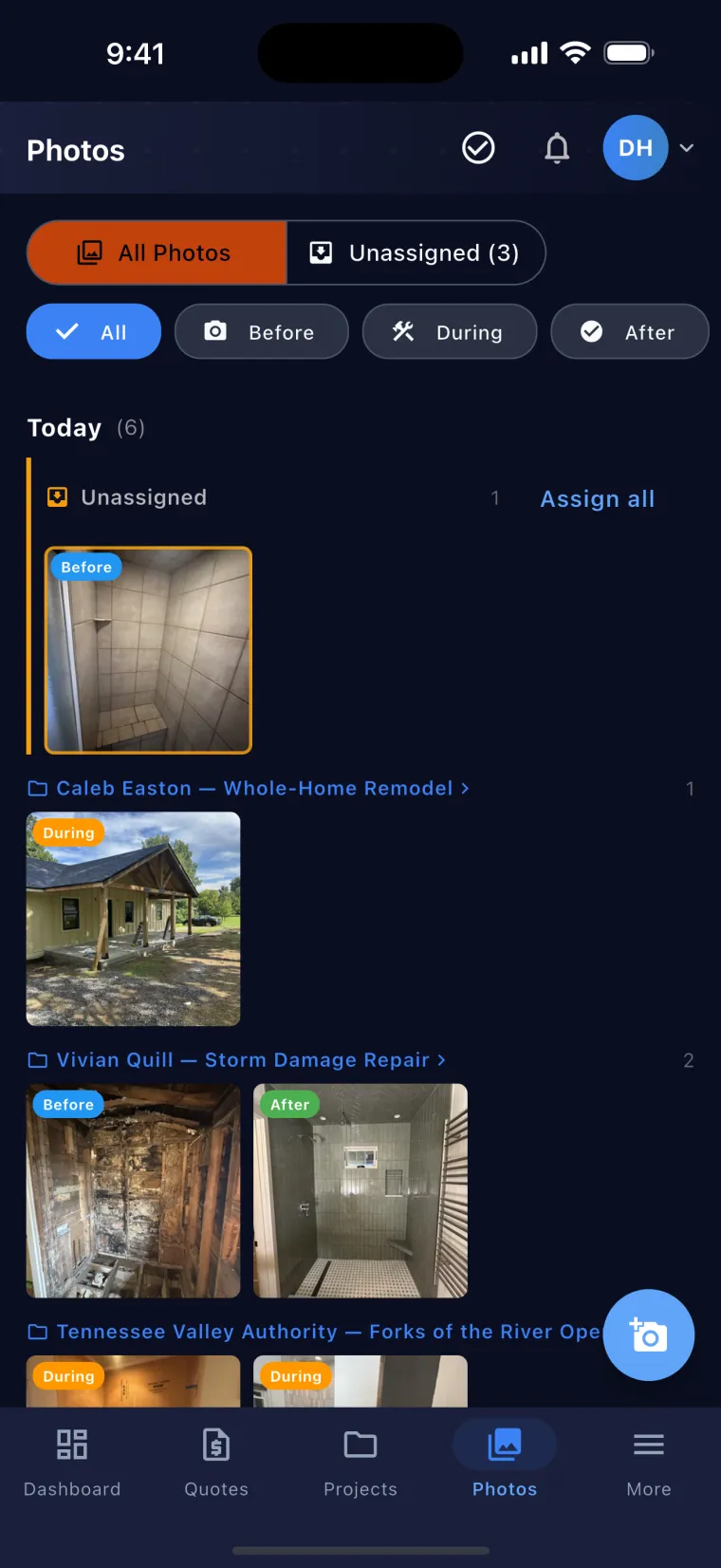
Shoot first, file later. Every photo lands in a company-wide Unassigned inbox — the field never picks a project, the office files from the desktop.
Snap straight from the lock screen of an iPhone with iOS 18 or later — Camera Control, the Action button or Control Center.
Tag each photo with a photo category and the project phase, and GPS suggests the right project while you're still on-site — you confirm it.
Capture short video clips on the job and share them with customers on the portal — same inbox, same filing flow as photos.
Customers view and sign quotes, pay invoices by card or ACH, and watch project status from any device. From Starter $49; Essentials sends text-to-sign links.
Track options, allowances, approvals, and overages.
Post-handoff service requests flow through the portal. Assign, track, resolve.
Send invoices on every plan and record each payment against the job. From Starter, customers pay invoices by card or ACH in the customer portal, and the money goes to your own Stripe account; Stripe’s fee comes out of the payment, never the customer’s bill (see pricing).
Coming soon: approved crew hours pushed to QuickBooks Online as time activities, one-way. Today Pro and up export approved hours as CSV or IIF, and the IIF file imports into QuickBooks Desktop.
Per-project P&L in project pulse, a health score for every job, and the project report PDF. Timecard reports cover class-code hours, the premium register and geofence exceptions.
Subs log in for RFQs, work orders, invoices, photo requests, RFIs, and COI uploads. Login-gated — not email-only.
Subs upload COIs; JSC parses, alerts on expiration, and enforces coverage. Audit-ready reports.
300/301-ready incident reports with witness statements; pre-built trade toolbox talks with on-site sign-off.
Drop an Xactimate PDF and JobSiteCore parses it deterministically — line items by room, plus customer, property address, claim #, carrier, adjuster, and RCV/ACV. Symbility, RoofSnap, Roofr and EagleView PDFs are read by the AI importer. No more re-keying 80-line estimates by hand. Import any Xactimate PDF, no XactAnalysis assignment.
On an iPhone with iOS 18 or later, JobSiteCore launches from a locked phone — via the Camera Control button, the Action button or Control Center; say “Take a job photo in JobSiteCore” and Siri opens the camera once you unlock. And nobody in the field picks a project: every shot lands in a company-wide Unassigned inbox, smart suggestions offer the right project on-site, and the office files the rest from the desktop later.
Share photos into JobSiteCore from any app, or import straight from the camera roll — either way they carry a photo category (During until you change it), and the project phase is added when you file them. Capture short video clips and share them on the customer portal. Uploads run in the background and pick up where they left off — even offline. It’s the photo documentation app contractors pay $63–$249/mo billed annually for, built into the platform they already run the job on.
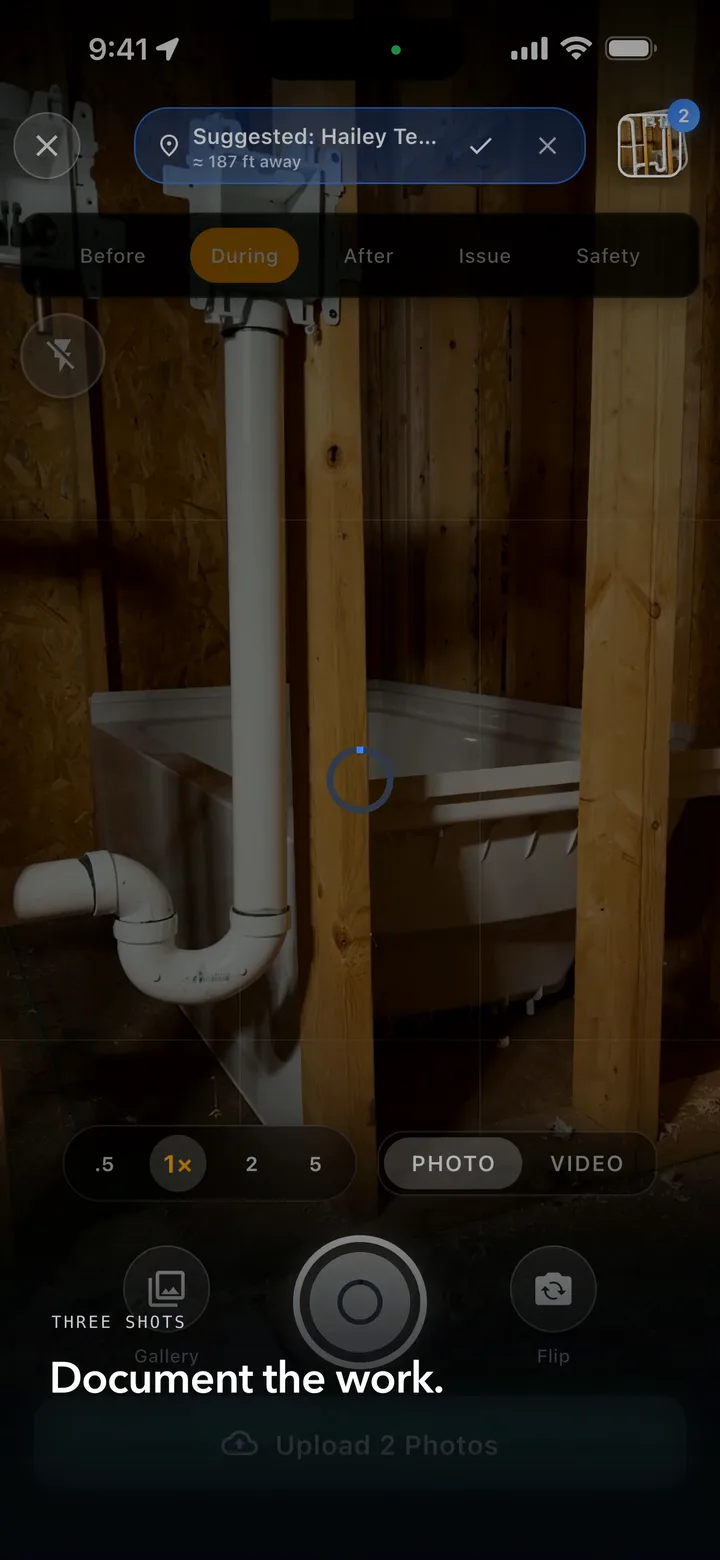
Shoot without unlocking. When you open the app, JobSiteCore suggests the nearby job, or the one you’re scheduled on or clocked into, for you to confirm. There is no AI in this and nothing files itself — you always get the last word.
Shown on iPhone.
Built for contractors who need to move fast — on any device.
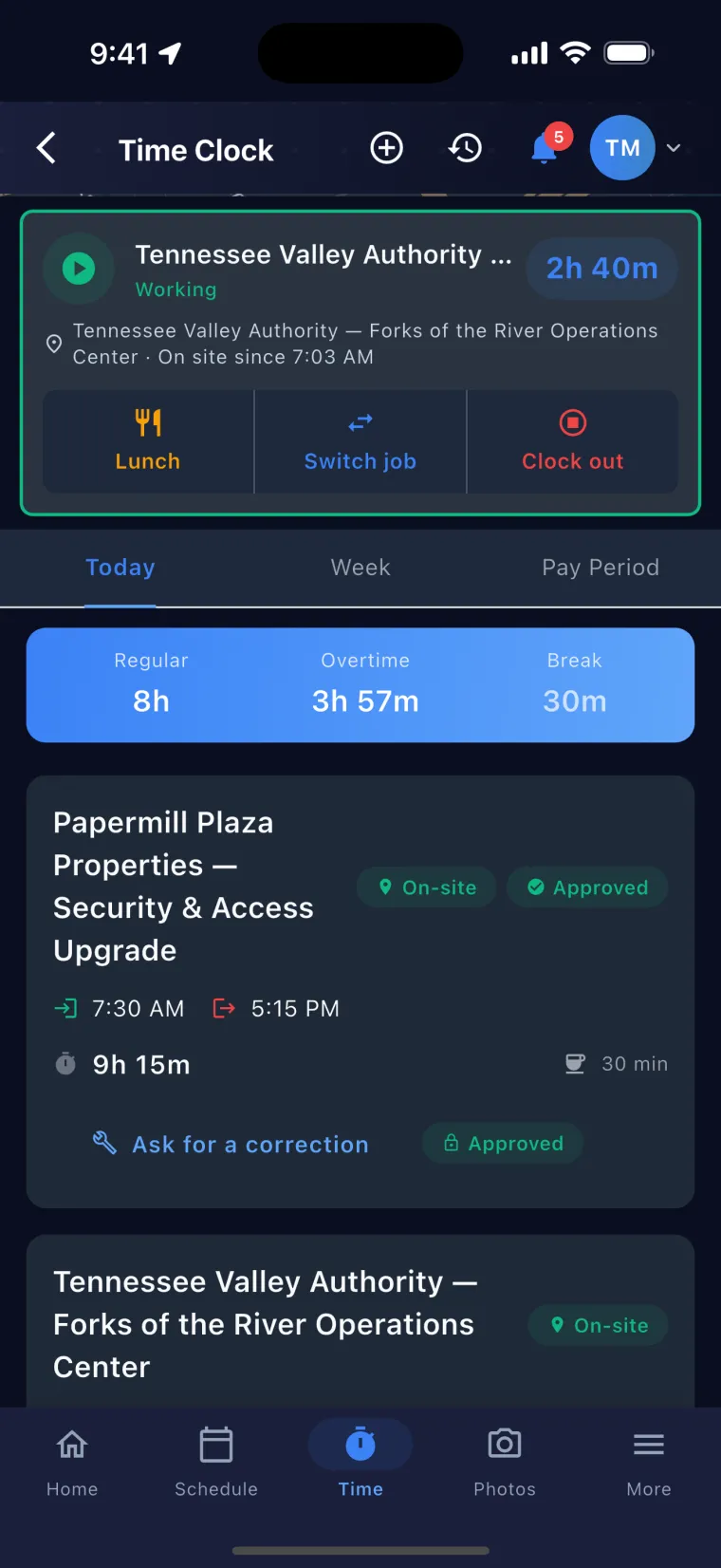
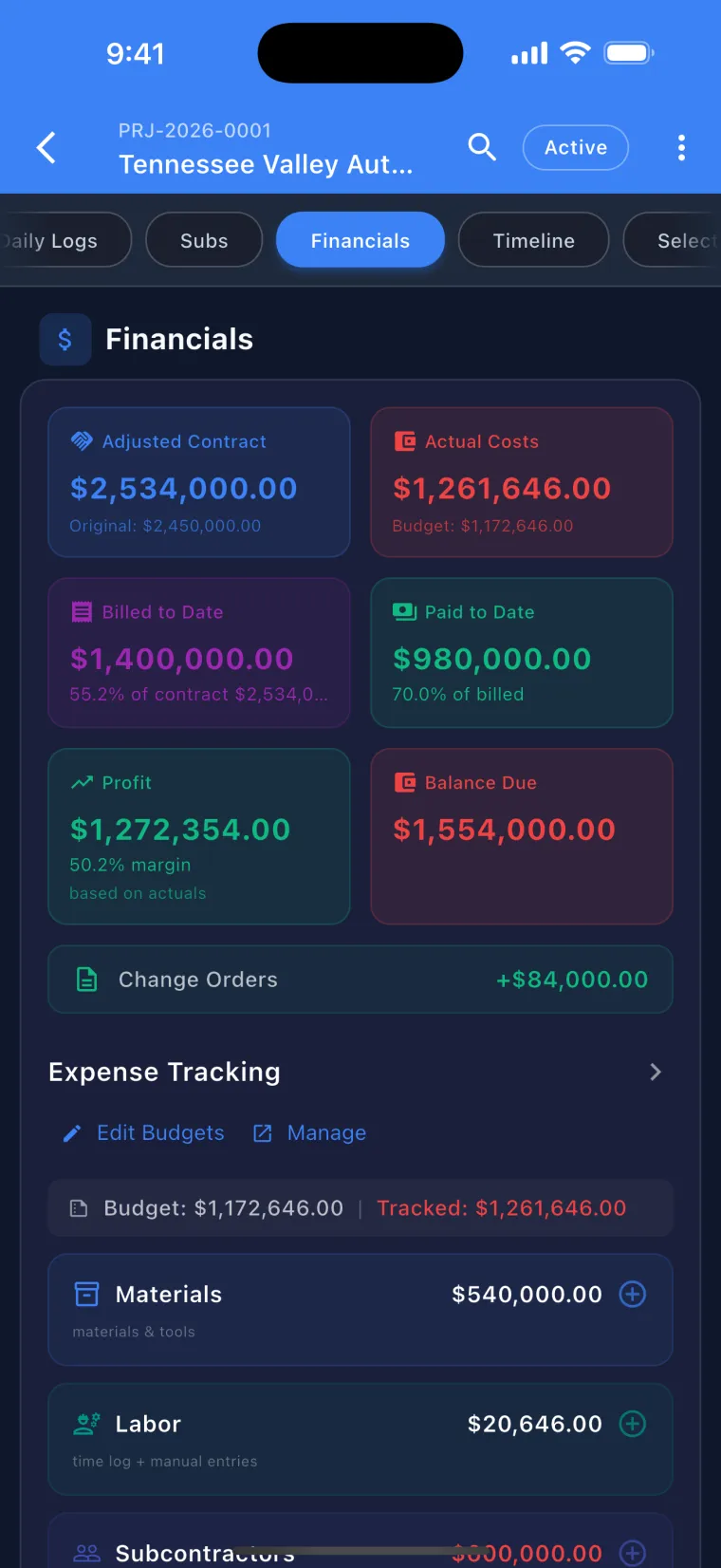
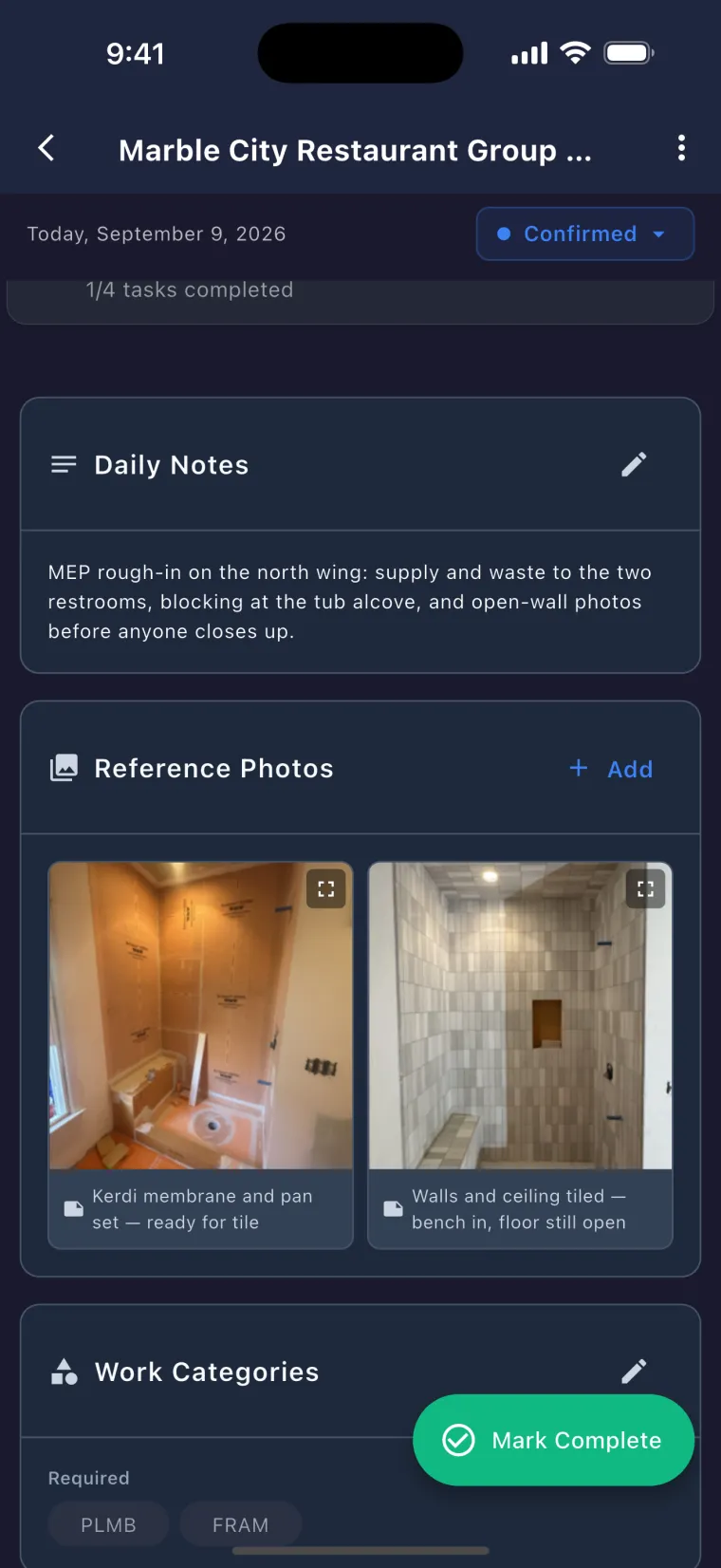
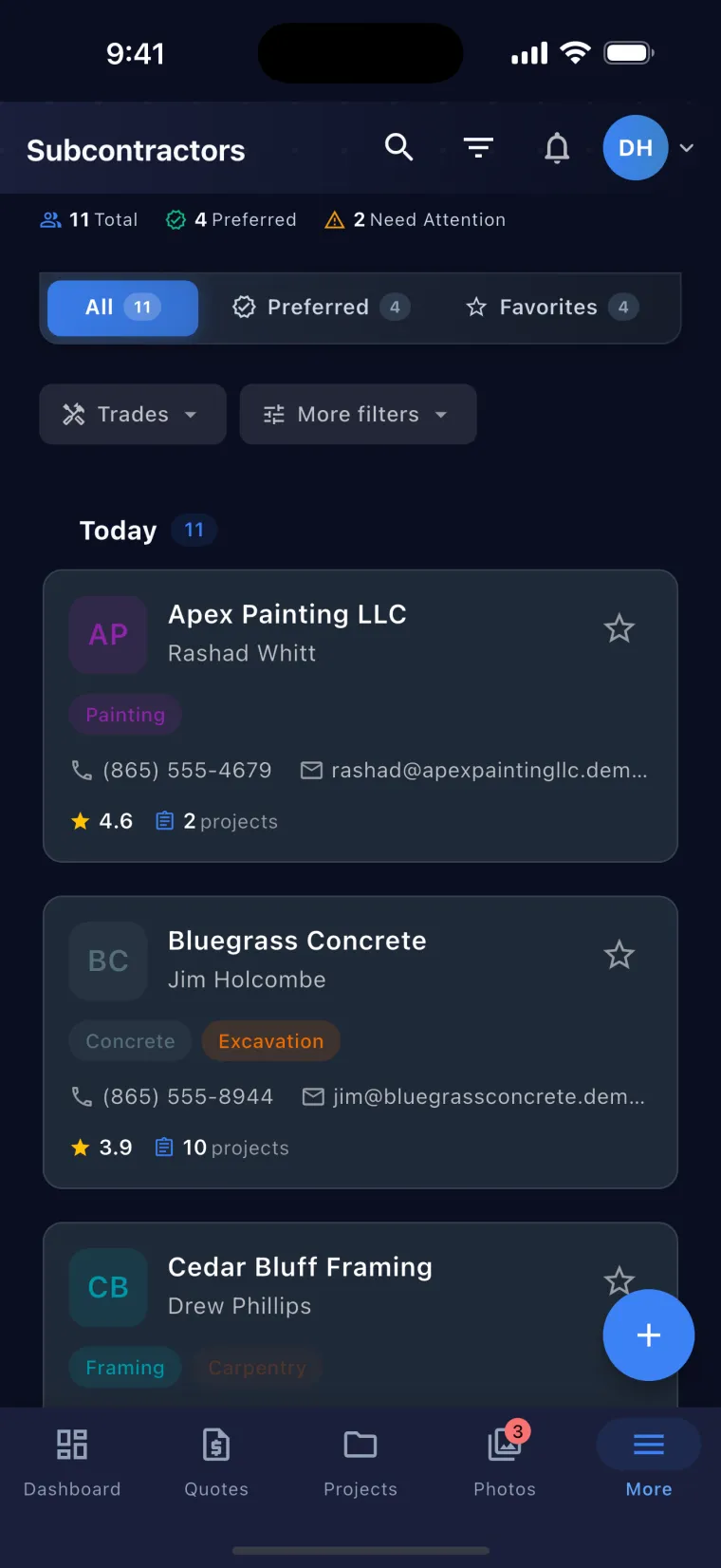
Swipe the screens · tap any one to zoom inScroll the strip · click any screen to enlarge it
Pick your trade when you create your company, and the app talks like your crew before the first quote goes out — your job sections, your price book, your quoting rules.
An elevator shop reads ten renamed phases — Survey & Diagnosis through Code Testing (Cat-1 / Cat-5) — plus a Down Cars panel on the dashboard, and the word Units where every other trade reads Assets. A concrete crew gets pour areas instead of rooms, and quotes priced in cy — never in “yards.” Fifteen options: eleven come tuned like this, and four keep the standard setup because nothing about a remodeler needed changing. Every word below is pulled straight from the app.
No two of your jobs look alike — a kitchen this month, an addition the next — so you get the whole toolbox with nothing hidden and nothing to translate. Nothing is renamed, on purpose. The standard setup already talks like a residential remodeler, so we left every word alone — renaming things just to look busy would only slow your crew down.
You quote by room and by floor — Kitchen · Living Room · Master Bedroom and 10 more, across Main Level · Level 2 · Level 3 and 5 more.
Planning & Design · Permits & Approvals · Demolition · Foundation · Framing · Rough-Ins (Plumbing/Electrical) — and the rest of the standard construction schedule.
Type it in. Ready-made buttons only exist for the trades that service the same named machines again and again.
16 priced line items, loaded the moment your company is created — a working price book before your first quote.
The full 79-category list, in the same order for everyone — no trade gets moved ahead of another.
Your work happens in houses, and so does the standard setup — rooms, levels, and a schedule that runs from permits to punch list the way a house actually gets built. Nothing is renamed, on purpose. The standard setup already talks like a residential remodeler, so we left every word alone — renaming things just to look busy would only slow your crew down.
You quote by room and by floor — Kitchen · Living Room · Master Bedroom and 10 more, across Main Level · Level 2 · Level 3 and 5 more.
Planning & Design · Permits & Approvals · Demolition · Foundation · Framing · Rough-Ins (Plumbing/Electrical) — and the rest of the standard construction schedule.
Type it in. Ready-made buttons only exist for the trades that service the same named machines again and again.
16 priced line items, loaded the moment your company is created — a working price book before your first quote.
The full 79-category list, in the same order for everyone — no trade gets moved ahead of another.
Commercial is who you sell to, not what you do — you could be any trade on this list, so nothing about your setup changes shape. What changes is who the quote is written for: the AI is told your buyer is a GC or a facility manager, so bids come out organized the way they get read, general conditions go on as billable lines instead of getting eaten, and the signed contract skips the homeowner cancellation notice a property manager should never see.
You quote by room and by floor — Kitchen · Living Room · Master Bedroom and 10 more, across Main Level · Level 2 · Level 3 and 5 more.
Planning & Design · Permits & Approvals · Demolition · Foundation · Framing · Rough-Ins (Plumbing/Electrical) — and the rest of the standard construction schedule.
Type it in. Ready-made buttons only exist for the trades that service the same named machines again and again.
16 priced line items, loaded the moment your company is created — a working price book before your first quote.
The full 79-category list, in the same order for everyone — no trade gets moved ahead of another.
The AI here was taught how commercial bids get read, not just relabeled. Quote sections follow the job — “Suite 210 — Tenant Improvement” instead of a bedroom — allowances, alternates and unit prices stay three separate things, supervision and cleanup get priced as their own lines, and on public work the bid states the wage basis instead of guessing. When your customer signs, the contract carries no three-day cancellation right — that’s homeowner law, and your buyer is a business.
Industrial is a market, not a trade, and the plant already has rules — your bid just has to show you know them. The AI that writes your quotes is told the shutdown window is the constraint, and that safety and access are billable lines: badging, lockout, fire watch and crane time go on the bid where the plant manager can see them, not into overhead you eat.
You quote by room and by floor — Kitchen · Living Room · Master Bedroom and 10 more, across Main Level · Level 2 · Level 3 and 5 more.
Planning & Design · Permits & Approvals · Demolition · Foundation · Framing · Rough-Ins (Plumbing/Electrical) — and the rest of the standard construction schedule.
Type it in. Ready-made buttons only exist for the trades that service the same named machines again and again.
16 priced line items, loaded the moment your company is created — a working price book before your first quote.
The full 79-category list, in the same order for everyone — no trade gets moved ahead of another.
Quotes here are built the way a plant buys: sections named for the asset — Line 3, Boiler 2, the tank farm — a price that states which outage window it assumes, and fewer, larger lines that each carry their own assumption or exclusion. Ask for time-and-materials or a not-to-exceed and that is what you get, rate basis stated. And because your customer is a plant and not a homeowner, the signed contract carries no three-day cancellation notice.
The standard setup was built around a remodeler’s jobs to begin with. Nothing is renamed, on purpose. The standard setup already talks like a residential remodeler, so we left every word alone — renaming things just to look busy would only slow your crew down.
You quote by room and by floor — Kitchen · Living Room · Master Bedroom and 10 more, across Main Level · Level 2 · Level 3 and 5 more.
Planning & Design · Permits & Approvals · Demolition · Foundation · Framing · Rough-Ins (Plumbing/Electrical) — and the rest of the standard construction schedule.
Type it in. Ready-made buttons only exist for the trades that service the same named machines again and again.
16 priced line items, loaded the moment your company is created — a working price book before your first quote.
The full 79-category list, in the same order for everyone — no trade gets moved ahead of another.
You can swap a panel in a day, but the quote still eats your evening. Your company starts with an electrical price book already loaded — service call, 200A panel upgrade, Level 2 EV charger, GFCI — so a real number goes out before you leave the driveway. And the AI that drafts your quotes prices like an electrician: a receptacle swap is a couple of lines, not a padded remodel bid.
You quote by room and by floor — Kitchen · Living Room · Master Bedroom and 10 more, across Main Level · Level 2 · Level 3 and 5 more.
Planning & Design · Permits & Approvals · Demolition · Foundation · Framing · Rough-Ins (Plumbing/Electrical) — and the rest of the standard construction schedule.
13 priced line items, loaded the moment your company is created — a working price book before your first quote.
Your trade’s categories come first: Service · Repairs · Wiring & Devices · Lighting · Panels & Service · EV & Backup Power · Safety · Inspections · Permits & Fees · Labor · Electrical
The AI here was taught the trade’s rules, not just the trade’s name. A fixture line is supply-and-install so nothing gets billed twice, panel and grounding work files under Service & Panel instead of a bedroom, and every bid is sized to the job — a service call is a few lines, a standby generator runs eight to fourteen, and the NEC articles that apply get called out. Panels, generators, transfer switches and EV chargers save as equipment on the property, so the second visit starts with the history.
A price book is the hardest thing a small plumbing shop ever builds — months of receipts and job timings, or a couple thousand dollars for someone else’s numbers. Here a plumbing company starts with a priced service list already in it: the 50-gallon changeout, the main-line clear, the faucet swap, the PRV. Edit the numbers to your market and quote from it the same day.
You quote by room and by floor — Kitchen · Living Room · Master Bedroom and 10 more, across Main Level · Level 2 · Level 3 and 5 more.
Planning & Design · Permits & Approvals · Demolition · Foundation · Framing · Rough-Ins (Plumbing/Electrical) — and the rest of the standard construction schedule.
13 priced line items, loaded the moment your company is created — a working price book before your first quote.
Your trade’s categories come first: Service · Repairs · Fixtures · Water Heaters · Drains & Sewer · Water Supply & Piping · Testing · Permits & Fees · Labor · Plumbing
Ask for a water heater quote and the write-up comes back shaped like a plumber wrote it — the permit, the expansion tank, the T&P and pan, the haul-off — without padding a drain clear into a remodel-sized bid or sneaking in drywall repair after an access cut. A sewer job gets written as the run it is, not forced into a room. And Water Heaters, Drains & Sewer, and Fixtures sit at the top of every pricing screen, because that’s your work.
A quote that still reads R-410A is a quote your customer can catch. HVAC quotes here are written by the system, not the room — condenser and line set, pad, disconnect, commissioning — and new equipment is priced the way it actually sells since the refrigerant changeover. A tune-up stays three lines. A changeout gets all ten.
You quote by room and by floor — Kitchen · Living Room · Master Bedroom and 10 more, across Main Level · Level 2 · Level 3 and 5 more.
Planning & Design · Permits & Approvals · Demolition · Foundation · Framing · Rough-Ins (Plumbing/Electrical) — and the rest of the standard construction schedule.
13 priced line items, loaded the moment your company is created — a working price book before your first quote.
Your trade’s categories come first: Service · Maintenance · Repairs · Mechanical Equipment · Ductwork · Controls · Ventilation · Testing · Electrical · Permits & Fees · Labor · HVAC
Maintenance agreements come ready to sell: full coverage, preventive with filters, or spring-and-fall tune-ups — the covered scope spelled out, visits on a schedule, billing that runs monthly, quarterly, or by the year, and what’s covered printed right on the invoice. And when a job calls for new equipment, the quote already knows the new refrigerants run higher and may need leak detection — not a number from three years ago.
Mowing pays the bills, but the money is in the installs — and the install quote is what takes all week to get out the door. Your company starts with a priced book that already knows the work: mulch by the cubic yard, sod by the square foot, a 3-gallon shrub and a 15-gallon tree each at their own price, an irrigation zone as one line. Walk the property, talk the job in, and send the proposal while the customer still remembers your name.
You quote by room and by floor — Kitchen · Living Room · Master Bedroom and 10 more, across Main Level · Level 2 · Level 3 and 5 more.
Planning & Design · Permits & Approvals · Demolition · Foundation · Framing · Rough-Ins (Plumbing/Electrical) — and the rest of the standard construction schedule.
Type it in. Ready-made buttons only exist for the trades that service the same named machines again and again.
12 priced line items, loaded the moment your company is created — a working price book before your first quote.
Your trade’s categories come first: Maintenance · Planting & Beds · Hardscape · Irrigation · Lighting · Fencing · Site Work · Cleanup · Equipment Rental · Labor · Landscaping
Quotes come out shaped like the yard, not like a house — Front Yard, Foundation Beds, Pool Surround, Zone 3 — with mulch in cubic yards, beds and patios in square feet, plants each, walls and edging by the foot, stone by the ton. A mowing visit stays a short ticket instead of getting padded into a renovation, plant counts never get invented off bed size, and when the design calls for a four-foot wall, the write-up says it needs engineering and a permit — before your customer’s inspector does.
Roofing software keeps getting built for the storm outfit with a sales floor — priced by the seat, heavy on the office, light on the crew. Your company starts with a roofing price book already in squares — tear-off and install, synthetic underlayment, ridge vent, pipe boots — so a retail bid goes out the same day you walk the roof. And the AI that drafts your quotes prices like a roofer: a leak repair is a handful of lines, and it knows when a 40-line estimate is right and when it is padding.
You quote by room and by floor — Kitchen · Living Room · Master Bedroom and 10 more, across Main Level · Level 2 · Level 3 and 5 more.
Planning & Design · Permits & Approvals · Demolition · Foundation · Framing · Rough-Ins (Plumbing/Electrical) — and the rest of the standard construction schedule.
Type it in. Ready-made buttons only exist for the trades that service the same named machines again and again.
12 priced line items, loaded the moment your company is created — a working price book before your first quote.
Your trade’s categories come first: Roofing · Repairs · Flashing & Sheet Metal · Soffit Fascia & Gutter · Ventilation · Demolition · Windows & Doors · Insulation · Inspections · Cleanup · Safety · Labor
When a storm file lands as the adjuster’s 30-page estimate, drop the PDF in and it becomes a job — customer, address, claim number and every line, kept in full for the carrier or rolled up so the homeowner’s contract reads clean. When the carrier’s number is short, a side-by-side puts a dollar figure on exactly what moved — what they left out, where the measurements differ, where the rate is low — so you walk into that call with arithmetic instead of an argument. And retail stays retail: quoted by the square, sectioned by roof plane instead of rooms, with no claims language in it.
Most of a repaint happens before the lid comes off — the wash, the scrape and sand, the caulk, the spot prime. That prep gets written as its own scope on the quote, lines the customer can read and pay for, so the bid that includes real prep stops losing to the one that skipped it. And on a pre-1978 house, lead-safe setup and containment goes on the quote as billable work, not a cost you quietly eat.
You quote by room and by floor — Kitchen · Living Room · Master Bedroom and 10 more, across Main Level · Level 2 · Level 3 and 5 more.
Planning & Design · Permits & Approvals · Demolition · Foundation · Framing · Rough-Ins (Plumbing/Electrical) — and the rest of the standard construction schedule.
Type it in. Ready-made buttons only exist for the trades that service the same named machines again and again.
12 priced line items, loaded the moment your company is created — a working price book before your first quote.
Your trade’s categories come first: Painting · Surface Prep · Cabinets · Drywall · Trim & Molding · Repairs · Hazmat / Abatement · Cleanup · Materials · Labor
Ask for an exterior quote and it comes back in a painter’s order — wash, scrape and sand, caulk, spot prime, body, trim, doors — with rot carpentry carried as an allowance with a not-to-exceed instead of a guessed number, and a dark-base repaint priced at three coats because that’s what it takes. Cabinets price per door and per drawer, never by the square foot. And the priced list your company starts with is yours to edit — set the numbers to your market and quote the same day.
A flooring quote is priced the way the house is walked — room by room — and the app keeps it that way. The kitchen, the hall and stairs, the basement each carry their own tear-out, prep, material and transitions, so the customer sees what each room costs instead of one number balled up into a square-foot price.
You quote by room and by floor — Kitchen · Living Room · Master Bedroom and 10 more, across Main Level · Level 2 · Level 3 and 5 more.
Planning & Design · Permits & Approvals · Demolition · Foundation · Framing · Rough-Ins (Plumbing/Electrical) — and the rest of the standard construction schedule.
Type it in. Ready-made buttons only exist for the trades that service the same named machines again and again.
12 priced line items, loaded the moment your company is created — a working price book before your first quote.
Your trade’s categories come first: Flooring · Tile · Demolition · Surface Prep · Trim & Molding · Testing · Materials · Cleanup · Labor
The numbers start filled in: a flooring company begins with a priced list — supply-and-install by the square foot, carpet by the yard, tear-out, sand-and-refinish, transitions, furniture moving by the room — to edit to your market and quote from the same day. Ask for a whole-house replacement and the write-up comes back shaped like an installer wrote it: tear-out and disposal, leveling as its own line instead of a sight-unseen guess, waste stated out loud, and the moisture test that keeps the manufacturer warranty alive billed as the real line it is.
Concrete jobs don’t happen in rooms — they happen in pour areas, and the app is built to know the difference. Start a job and it offers Driveway, Footings, Pool Deck, Approach & Apron; schedule it by Pour 1, Footing Pour, Slab Pour. Scope, photos, and billing organize around the placements you actually run, so nobody’s typing “Kitchen” on a tear-out-and-replace.
Most trades quote by room — Kitchen, Master Bath. You don’t:
Most trades split a job by floor — Main Level, Level 2. You don’t:
Planning & Design · Permits & Approvals · Demolition · Foundation · Framing · Rough-Ins (Plumbing/Electrical) — and the rest of the standard construction schedule.
Type it in. Ready-made buttons only exist for the trades that service the same named machines again and again.
16 priced line items, loaded the moment your company is created — a working price book before your first quote.
Your trade’s categories come first: Flatwork · Foundation · Decorative Concrete · Concrete · Site Work · Demolition · Repairs · Sealing & Coatings · Equipment Rental · Materials · Permits & Fees · Labor
Flatwork sells by the square foot, mud arrives by the cy, footings run by the foot — and your quotes come out that way, priced from a concrete book that’s loaded the day your company is created: the broom-finish slab, the reinforced driveway, ready-mix delivered, the pump day rate, finisher labor by the hour. Ask for a driveway replacement write-up and it carries the whole chain — demo and haul-off, subgrade and base, forms, mesh or rebar, finish, joints, cure and seal — because the line a bid skips is the callback you eat.
The most fully built-out trade in the app, shaped with a working elevator shop: ten renamed phases, the word Units instead of Assets, a Down Cars panel on the dashboard just for this trade, and a calendar of the cancellation windows on the maintenance contracts you’re chasing.
Most trades quote by room — Kitchen, Master Bath. You don’t:
Most trades split a job by floor — Main Level, Level 2. You don’t:
14 priced line items, loaded the moment your company is created — a working price book before your first quote.
Your trade’s categories come first: Maintenance · Service · Repairs · Testing · Controls · Doors & Entrances · Hydraulics · Roping & Traction · Fixtures & Signals · Elevator & Lift
Log a building’s current maintenance contract and its renewal date, and the app tracks the cancellation window — typically more than 30 but fewer than 120 days before auto-renewal — then reminds whoever owns the account while there’s still time to send notice. Miss it and the building is locked in for another year. The list stays private to your team; it never appears in any customer portal.
Plenty of trades run jobs that look like construction even when this list doesn’t name them yet — the standard setup gives you a working day-one start, and telling us your trade helps decide which one gets built out next. Nothing is renamed, on purpose. The standard setup already talks like a residential remodeler, so we left every word alone — renaming things just to look busy would only slow your crew down.
You quote by room and by floor — Kitchen · Living Room · Master Bedroom and 10 more, across Main Level · Level 2 · Level 3 and 5 more.
Planning & Design · Permits & Approvals · Demolition · Foundation · Framing · Rough-Ins (Plumbing/Electrical) — and the rest of the standard construction schedule.
Type it in. Ready-made buttons only exist for the trades that service the same named machines again and again.
16 priced line items, loaded the moment your company is created — a working price book before your first quote.
The full 79-category list, in the same order for everyone — no trade gets moved ahead of another.
General Construction, Residential Construction, Remodeling and Other keep the standard setup — it already talks like a residential remodeler. And whichever trade you pick, it is the same app underneath: no separate icons, no separate colors, no second version. Your whole crew learns it once, and it talks your trade.
Don’t see yours? Tell us which trade you run when you request early access — that’s how we decide which trade to build next.
JSC ships 47 of our 50 transactional templates in English and Spanish — plus AI-powered translation of assignment notes from English into Spanish, tuned with construction-industry context. A manager writes in English, and the Spanish translation is saved with the assignment.
JobSiteCore is American‑owned and built in Knoxville, Tennessee — by people who’ve stood on the job sites it’s made for.
Every screen and workflow is designed by an American team that knows how U.S. contractors actually work.
Every line of code is written here at home. No outsourcing, no offshore teams.
Your company’s data lives on U.S.-based cloud infrastructure, under U.S. law.
When you need help, you reach a U.S.-based team that speaks construction.
Where plans start — every price published
Save with annual billing
Capabilities across 5 buckets
Replaces a stack of separate tools
For the price
CompanyCam’s plans help article lists LiDAR measurements on its Scale plan only. Its pricing page lists Scale at $249/mo billed annually with 3 users included, or $299 month to month (checked October 12, 2026). JobSiteCore includes Measure on every plan, from Essentials at $39/mo.
Example: use your own numbers.
One trip back costs about$92
That’s about 1.9 months of Starter for 3 people, at $49/mo billed monthly.
Pro for 4 people is $99/mo billed monthly, about 1.1 trips like this one.
2 trips like this a month come to about $184; your plan is $49/mo.
Plan prices are listed below.
Our arithmetic from the inputs above: (2 × drive + time on site) ÷ 60 × hourly cost + miles × rate per mile. Drive time: R. DiToma, “The Cost of Travel,” PHCP Pros, March 31, 2017 (“For most contractors, this average time will range between 15 and 45 minutes.”). Hourly costs: U.S. Bureau of Labor Statistics, Occupational Outlook Handbook, median pay, May 2025 (construction managers, cost estimators, carpenters). Benefits: BLS Employer Costs for Employee Compensation, June 2026 (private industry: wages are 70.0 percent of employer costs). Mileage: IRS standard mileage rate, July 1 to December 31, 2026. Time on site and miles are assumptions; use your own. Plan prices: the plans below.
Flat monthly price per plan, seats included. No hidden fees. Cancel anytime.
2 seats
Up to 2 seats — licensed contracting businesses: quote it, send it, get it signed
Includes:
+12 more unlocks at this tier — compare all plans
Request early access3 seats
Up to 3 seats — a contracting crew in the field
Everything in Essentials, plus:
10 seats
Up to 10 seats — growing remodelers and GCs
Everything in Starter, plus:
+3 more unlocks at this tier — compare all plans
Request early accessUnlimited seats
Unlimited seats, 25 active field workers included — mid-market GCs with subs and OSHA exposure
Everything in Pro, plus:
+8 more unlocks at this tier — compare all plans
Request early accessUnlimited seats
Unlimited seats — multi-region operators needing named support and custom integration work
Everything in Business, plus:
A seat is a team member who signs in. No-login crew on the roster, customer-portal users and sub-portal users are free.
Online payments: Stripe's standard rate (cards 2.9% + 30¢, bank (ACH) 0.8% capped at $5) is billed by Stripe to your own Stripe account, plus a 0.2% JobSiteCore fee, waived on Enterprise. Customers pay invoices online in the customer portal, Starter and up, and pay the invoice amount with nothing added.
| Capability | Essentials$39/mo | Starter$49/mo | Pro$99/mo | Business$300/mo | Enterprise$600/mo |
|---|---|---|---|---|---|
| Price & limits | |||||
| Price per month | $39 | $49 | $99 | $300 | $600 |
| Seats | 2 | 3 | 10 | Unlimited | Unlimited |
| Active projects | 5 | 10 | Unlimited | Unlimited | Unlimited |
| Storage | 1 GB | 2 GB | 10 GB | 200 GB | Unlimited |
| AI estimates a month | About 10 | About 20 | About 80 | About 400 | About 2,000 |
| Texts a month (a long text counts as 2 or more) | 250 | 500 | 1,000 | 2,500 | 10,000 |
| Quotes & sales | |||||
| Quotes & estimates | Included | Included | Included | Included | Included |
| Quote Signing | Included | Included | Included | Included | Included |
| Change Orders | Included | Included | Included | Included | Included |
| E-signatures with audit trail | Included | Included | Included | Included | Included |
| Custom Branding | Included | Included | Included | Included | Included |
| AI Quote Import | Included | Included | Included | Included | Included |
| Sales Pipeline | Not included | Not included | Included | Included | Included |
| Import Xactimate & Symbility Estimates | Not included | Not included | Not included | Included | Included |
| Compare Estimates | Not included | Not included | Not included | Included | Included |
| Customers & portal | |||||
| Text-to-sign links (portal from Starter) | Included | Included | Included | Included | Included |
| Advanced Customer Portal | Not included | Not included | Included | Included | Included |
| Google Reviews | Not included | Not included | Included | Included | Included |
| Two-Way Texting | Not included | Not included | Included | Included | Included |
| Customer Selections | Not included | Not included | Included | Included | Included |
| Warranty Desk | Not included | Not included | Included | Included | Included |
| Dedicated phone number (coming soon) | Not included | Not included | Not included | Included | Included |
| Projects & scheduling | |||||
| Projects | Included | Included | Included | Included | Included |
| Scheduling | Included | Included | Included | Included | Included |
| Tasks | Included | Included | Included | Included | Included |
| Service Agreements | Included | Included | Included | Included | Included |
| Equipment & Assets | Included | Included | Included | Included | Included |
| Punch List | Not included | Included | Included | Included | Included |
| Phase planning | Not included | Not included | Included | Included | Included |
| Resource Calendar | Not included | Not included | Included | Included | Included |
| Project message threads | Not included | Not included | Included | Included | Included |
| Emergency Dispatch | Not included | Not included | Not included | Included | Included |
| Field & time | |||||
| iPhone & Android apps | Included | Included | Included | Included | Included |
| Time tracking | Included | Included | Included | Included | Included |
| Photo Documentation | Included | Included | Included | Included | Included |
| GPS Crew Tracking | Not included | Included | Included | Included | Included |
| Crew Time Clock | Not included | Included | Included | Included | Included |
| Mileage Tracking | Not included | Included | Included | Included | Included |
| Daily Logs | Not included | Included | Included | Included | Included |
| Time Management | Not included | Not included | Included | Included | Included |
| Timecard Integrity | Not included | Not included | Included | Included | Included |
| AI & voice | |||||
| Voice Assistant | Included | Included | Included | Included | Included |
| Siri Voice Commands | Not included | Not included | Included | Included | Included |
| Live Voice | Not included | Not included | Not included | Included | Included |
| Money | |||||
| Invoicing | Included | Included | Included | Included | Included |
| Per-project P&L, pulse and report PDF | Not included | Not included | Included | Included | Included |
| QuickBooks Online time sync (coming soon) | Not included | Not included | Not included | Included | Included |
| Payroll prep and export | Not included | Not included | Not included | Included | Included |
| Advanced Financials | Not included | Not included | Not included | Included | Included |
| Spreadsheet Export | Not included | Not included | Not included | Included | Included |
| Insurance Relationships | Not included | Not included | Not included | Included | Included |
| Subs & compliance | |||||
| Subcontractor Management | Not included | Not included | Not included | Included | Included |
| Subcontractor Portal | Not included | Not included | Not included | Included | Included |
| RFI Workflow | Not included | Not included | Not included | Included | Included |
| RFQ Tabulation | Not included | Not included | Not included | Included | Included |
| COI Inbox | Not included | Not included | Not included | Included | Included |
| Compliance Tracking | Not included | Not included | Not included | Included | Included |
| Incident Reporting | Not included | Not included | Not included | Included | Included |
| Toolbox Talks | Not included | Not included | Not included | Included | Included |
| Services | |||||
| Custom Integration Services | Not included | Not included | Not included | Not included | Included |
| Priority Support | Not included | Not included | Not included | Not included | Included |
4 of the 11 vendors we checked price by custom quote; each says to request a quote or pricing on its own pricing page (checked October 13, 2026). See the vendor comparison.
Short answers to the questions contractors ask before starting a trial.
We're onboarding a limited number of contractors at a time so every one gets white-glove setup. Join the list and we'll email your invite — every plan's price is published, so you know the cost before you're in.
We'll email you the moment your spot opens.
Share your code — the link opens this request form for another contractor.


