The customer portal, end to end
One quote, one job, one customer — what the office sends, what the customer sees, and what comes back.
-
Chapter 1 of 7 · Office
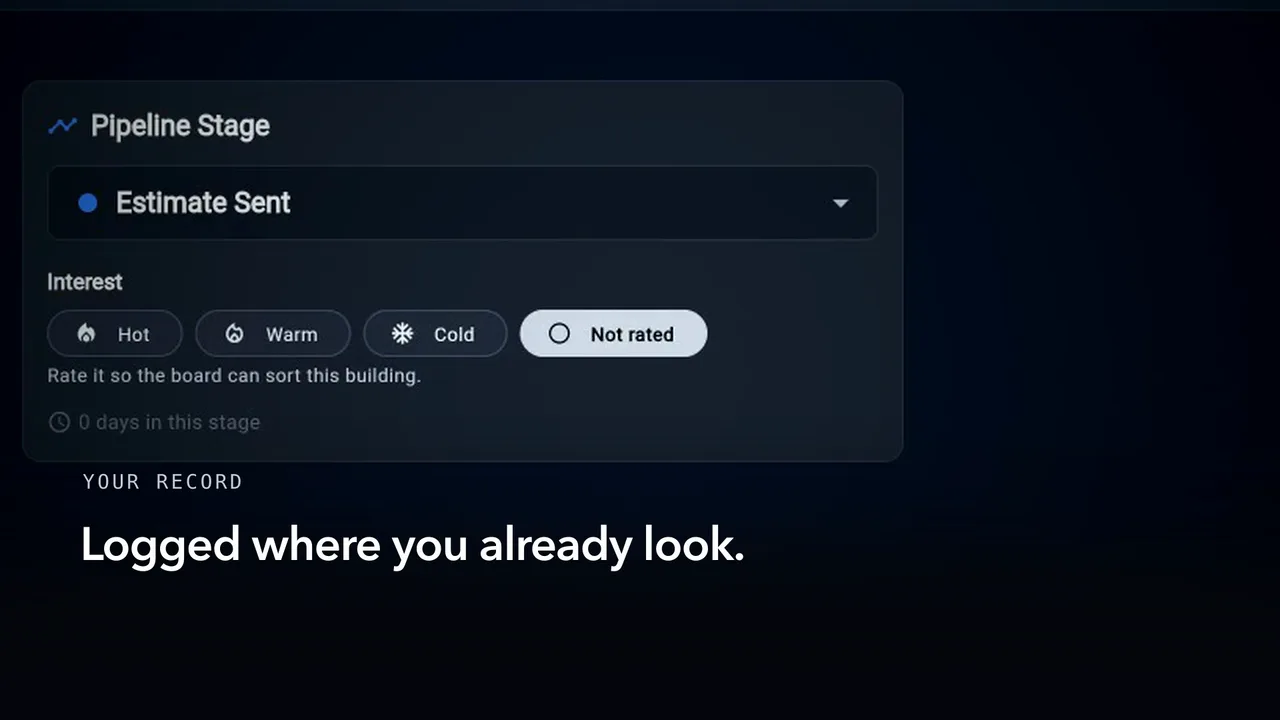
Sent
Send a quote from the desk, and see the message that reaches the customer on her phone.
1:23 · English audio · captions on screen
Read the chapter 1 transcript
Captions are burned into the video and are always on.
A quote leaves your desk, and everything after it follows from that press.
She hears about it in a message carrying your company's name.
Rewind a minute. At the desk the quote is finished, and no one has seen it.
Portal access lives on her contact record, along with the role she'll use.
You press Send Quote, choose Email, and the message opens for you to read.
Sending it from that window is where the message you just saw came from; the status moves in front of you.
No one types it in — the pipeline moves with it.
What lands with her says what it is, and gives her one thing to do.
Her tap lands on the sign-in with her number already filled in.
The card says it went out. It does not yet say it was opened.
Read the chapter 1 transcript (phone version)
Captions are burned into the video and are always on.
A quote leaves your desk, and everything after it follows from that press.
She hears about it in a message carrying your company's name.
Rewind a minute. At the desk the quote is finished, and no one has seen it.
Portal access lives on her contact record, along with the role she'll use.
You press Send Quote, choose Email, and the message opens for you to read.
Sending it from that screen is where the message you just saw came from; the status moves in front of you.
No one types it in — the pipeline moves with it.
What lands with her says what it is, and gives her one thing to do.
Her tap lands on the sign-in with her number already filled in.
The card says it went out. It does not yet say it was opened.
-
Chapter 2 of 7 · Customer
Opened
She signs in with a code, and the quote opens whole — the options, the photos, what is due and when.
1:46 · English audio · captions on screen
Read the chapter 2 transcript
Captions are burned into the video and are always on.
One press at your desk — here is what follows.
The link carried her number here — the field was full before she arrived.
Continue, and the step changes with her name on it — no second page, no waiting.
Six digits, and the sign-in itself makes her portal account and opens the quote.
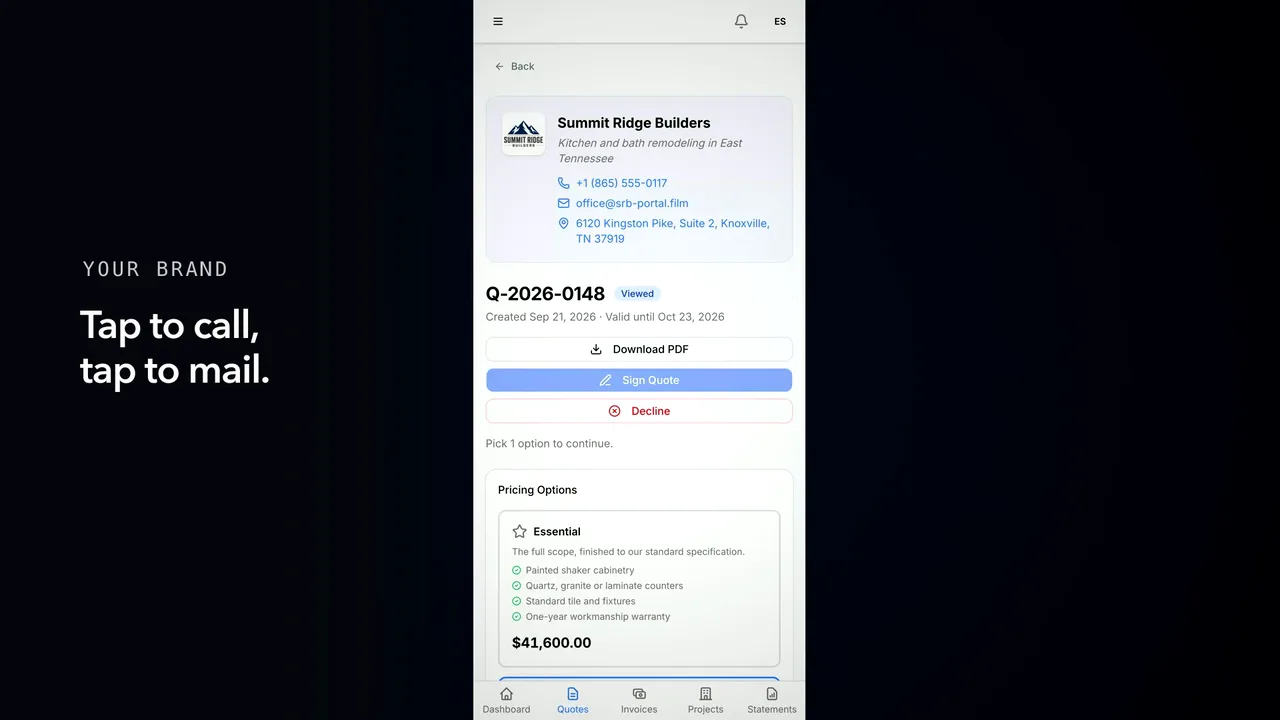
It opens on your company — your number, your address. Not a form.
Under it, what the document is and how long it holds.
Three scopes you priced, the middle already marked, each total derived as she looks.
One line needs an answer before anything can be signed, and her choices carry their own price.
The work is grouped the way the job runs, and your photographs travel with it.
The money in one block, and under it what signing asks up front, and when the rest falls due.
Terms behind a disclosure, and at the foot, who raised it and when.
Everything you have sent her, on one screen, and hers to come back to.
And at your desk the card changes without anyone asking — opened, on the record.
-
Chapter 3 of 7 · Office
Asked and answered
A question raised on the quote itself, answered from the desk, and delivered back under the question that asked it.
1:13 · English audio · captions on screen
Read the chapter 3 transcript
Captions are burned into the video and are always on.
Before she signs, she has a question.
The quote itself is where she asks it, in writing, while she is reading it.
She gives it a subject, the detail, and the part of the job it touches.
At the desk it arrives by name, with the subject she gave it.
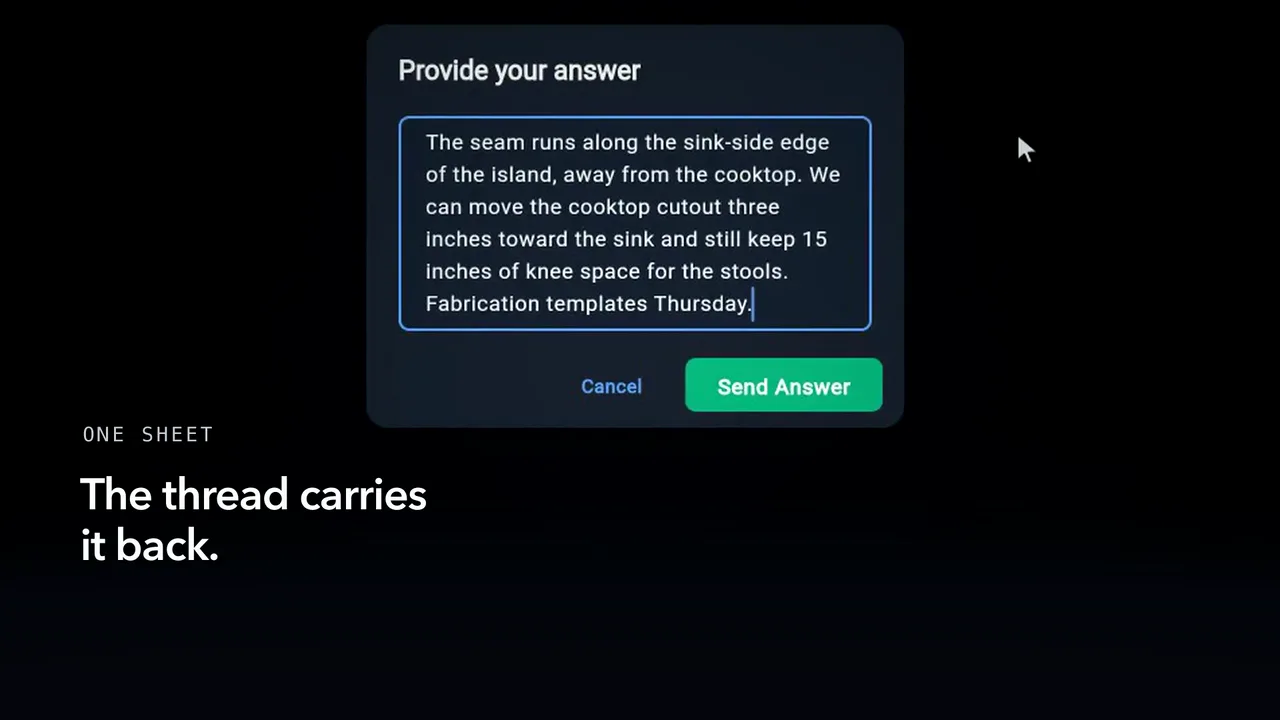
You answer where you already are, and mark it answered — nobody writes an email.
It reaches her mail with the reply in context, and one way back in.
The thread now carries the reply, under what she asked.
Her reply appends to the same thread, and the desk is told again.
And the record of it stays with the quote she will sign.
-
Chapter 4 of 7 · Customer
Accepted
The choices she confirms, the signature she gives, and the deposit invoice the signed quote raises at the desk.
1:26 · English audio · captions on screen
Read the chapter 4 transcript
Captions are burned into the video and are always on.
The quote is in her hands. What happens now is hers.
She tries a wider scope, then comes back; the total follows her both times.
Saying no is one press away. It asks why, and lets her back out.
She presses Sign with an answer missing. It stays off, and the page says what it needs.
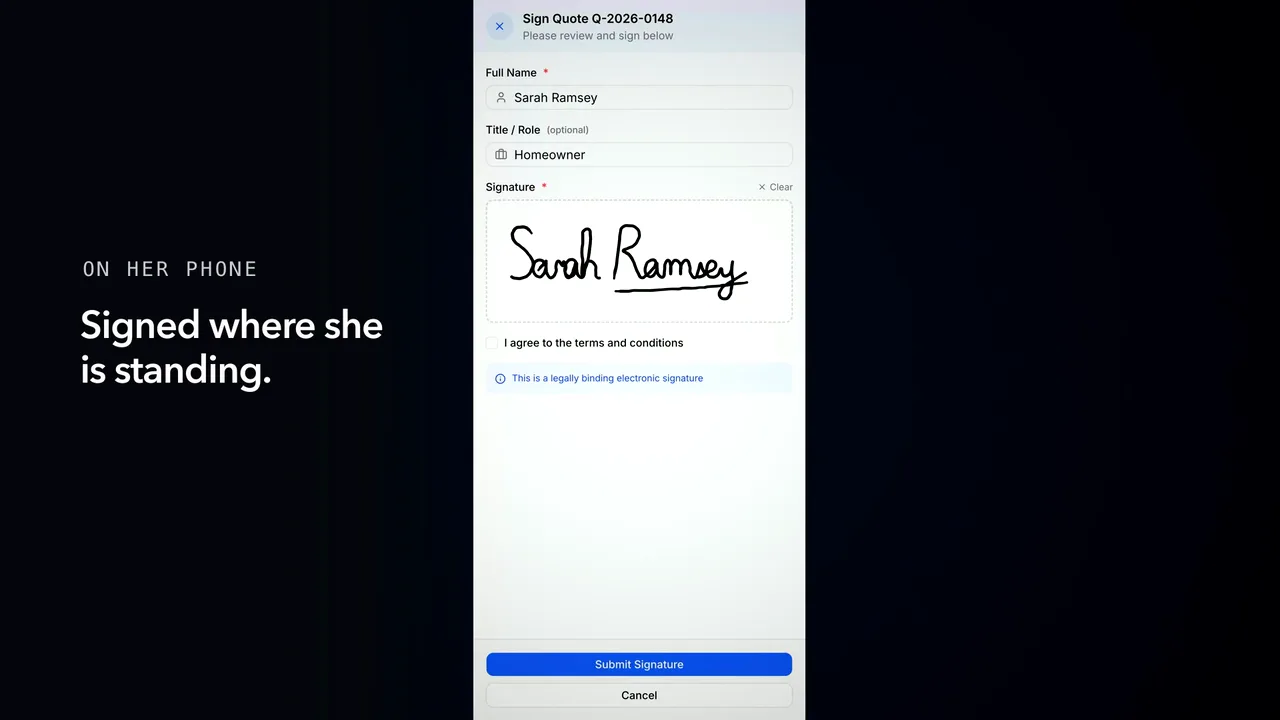
The sheet asks four things, all of them hers.
The browser doesn't do this part. The server prices her picks and freezes the money.
No confirmation screen: the page she is on repaints, and the actions are gone.
At your desk you find out without asking, and the next step is already offered.
No one pressed anything. The quote asked for a deposit, so the signed quote raises the deposit invoice.
The portal tells her too — signing in gave her an account there.
She opens it to the amount standing alone, and what has happened to it so far.
-
Chapter 5 of 7 · Customer
While the job runs
Progress, photos, an update and the day's record — then a punch list she signs off item by item.
1:57 · English audio · captions on screen
Read the chapter 5 transcript
Captions are burned into the video and are always on.
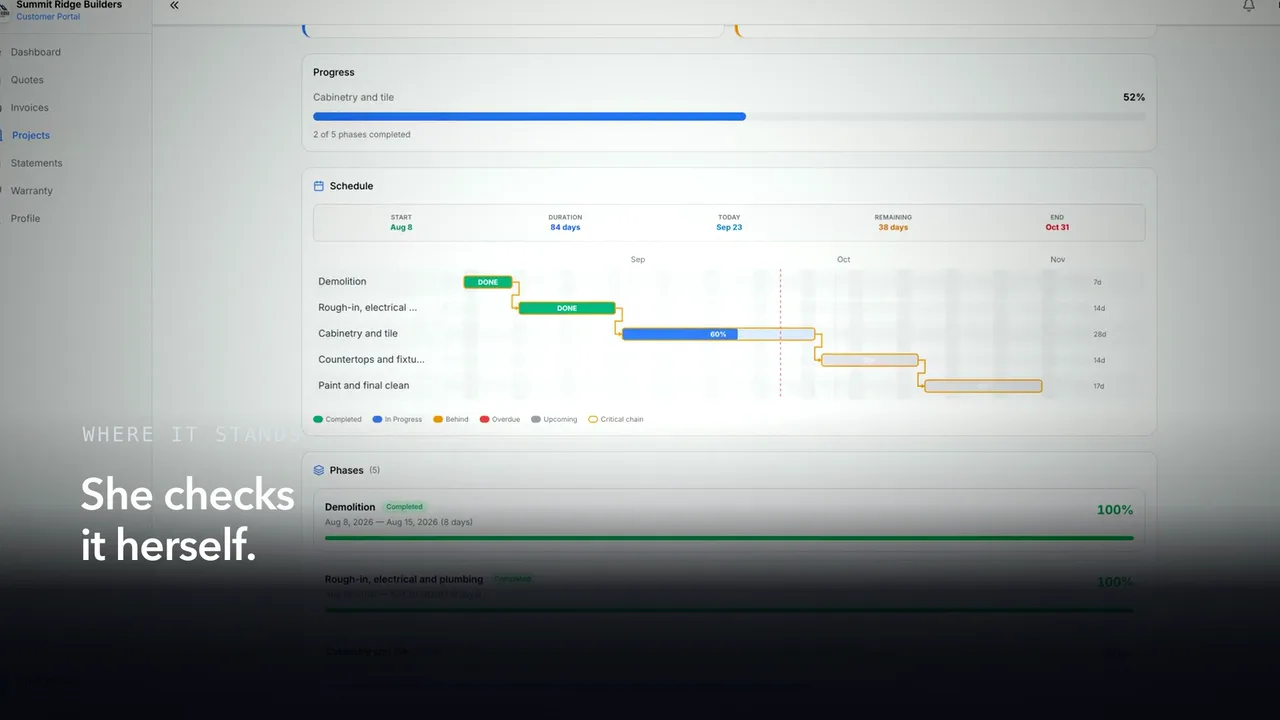
Signed. Now what you record, she sees.
Convert to Project makes the job: phases drawn from the quote, the signed document filed against it.
Her side of the job has its own page: number, status, address, the dates you set.
Progress is a number, a bar and a count of phases, with the schedule beside it.
Move the figure at the desk and her bar moves where she stands. No reload, no email.
These figures are the office's own, not a summary someone retyped for her.
In the gallery you pick the shots she should have, and add your own caption.
On her page they group, and the slider holds the same wall before and after.
Send an update: it reaches her mail carrying the job's progress, and her updates page shows the same figure.
She reads what the crew wrote that day.
With the list finished, you ask her to confirm the work rather than tell her it is done.
She can say one item is not right, give a reason, and the desk learns which one.
Then she signs off on the rest, and her signature is written against every item.
-
Chapter 6 of 7 · Office
A change to the contract
A change order written at the desk, read against the contract she already signed, approved and signed in turn.
1:26 · English audio · captions on screen
Read the chapter 6 transcript
Captions are burned into the video and are always on.
A job changes. What she signed changes with it.
You'll find it where the job's numbers live: the work, the cost, the added days.
Until you send it, she sees nothing. Sending is what asks her.
It arrives named for her project, asking for a decision rather than a reply.
Nothing depends on her keeping the email.
She opens it, and the desk knows it was read before she decides.
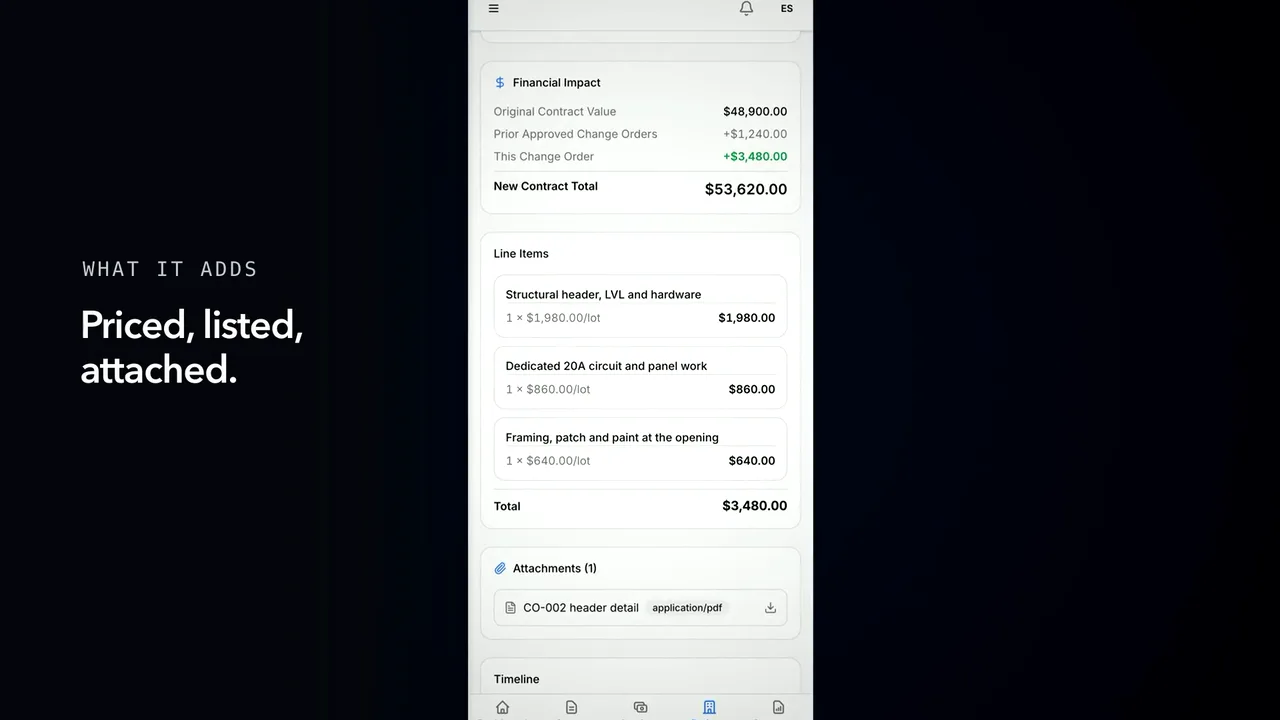
The cost is measured against the contract as it stands today.
The base already carries one approved change; until she says yes, this one moves nothing.
She agrees and signs. The server checks her role and pins the version she was shown.
It reaches the desk, and the change order now reads approved and signed.
Then the number moves on her page and on yours, out of the same arithmetic.
-
Chapter 7 of 7 · Office
Paid
An invoice the customer cannot settle yet, a payment account filled in at the desk, and the same invoice settled — with the office's own figures moving behind it.
1:40 · English audio · captions on screen
Read the chapter 7 transcript
Captions are burned into the video and are always on.
A bill leaves your desk. What comes back depends on one setting.
Draw two goes out, and its menu still has no payment link.
She is told twice: in her mail, and in the portal.
The whole bill is there, and nothing on the page about paying it.
The reason sits at your desk, not hers: Company, Money, Payments.
When the account verifies, this card changes while it sits open.
Now the menu carries the payment link, and the preview shows what she will be handed.
What reaches her names the invoice it belongs to, and carries one button.
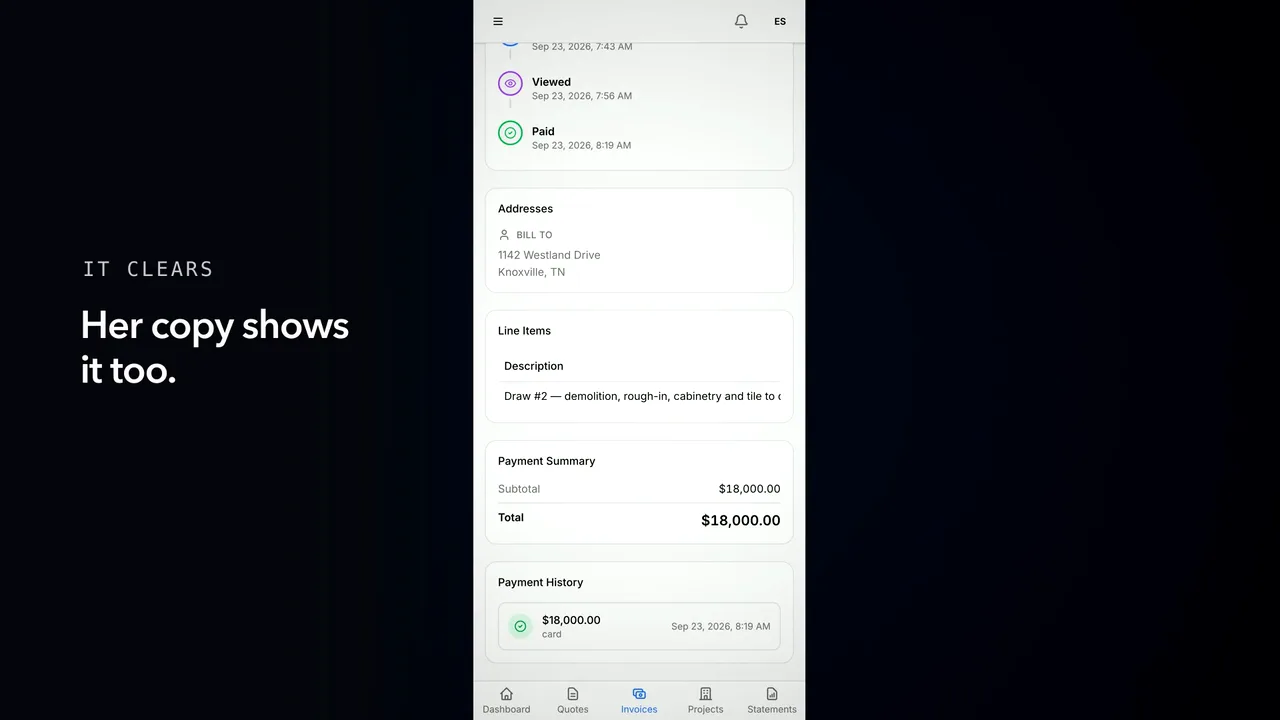
Same invoice, same amount, and this time she can pay from the invoice itself.
When the payment lands, her page turns green and the timeline finishes.
At the desk it is a single row — her name, the amount, the method — and the project figures follow.
The whole account stays in one place: this job, the last one, and what you still stand behind.


Captions are burned into every chapter and are always on. Every chapter has a written transcript.